

Features
White-Label Practice Management Software on Your Own Domain
Prexella is white-label practice management software: booking, the client portal and every email run on your own domain under your practice's name, on an instance that belongs to your practice alone.
- Your domain, not ours
- Your practice name on every client screen and email
- One instance per practice
- Set up for you
Last updated 10/10/2026
The problem: your clients see someone else's brand
A private practice spends years building a name: a website, referrals, a reputation in the community. Then a new client books a session, and the booking page, the portal they sign into and every reminder email carry a software company's logo instead. Some clients go on to search for that software company's directory and find other therapists listed there.
There is a second, quieter problem. When client data sits inside a large multi-tenant system, the practice has little control over where it lives or how it is separated from everyone else's.
Prexella's answer is your name, your domain and your contact details on everything clients touch, on an instance that holds your practice's data only.
How Prexella's white-label practice management software works
White-label is how Prexella is built, not a paid tier.
- One instance per practice. Each practice gets its own deployment of Prexella with its own database, its own payment account for card checkout and its own email sending. Nothing is shared with another practice.
- Your identity, set once. Your practice name, provider name and credentials, website address, support email and phone number are set for your instance. Every client-facing page and email reads them from that one place.
- Your domain. The booking page and the client portal run on your domain or a subdomain of it, and every link in every email points back there.
What carries your brand
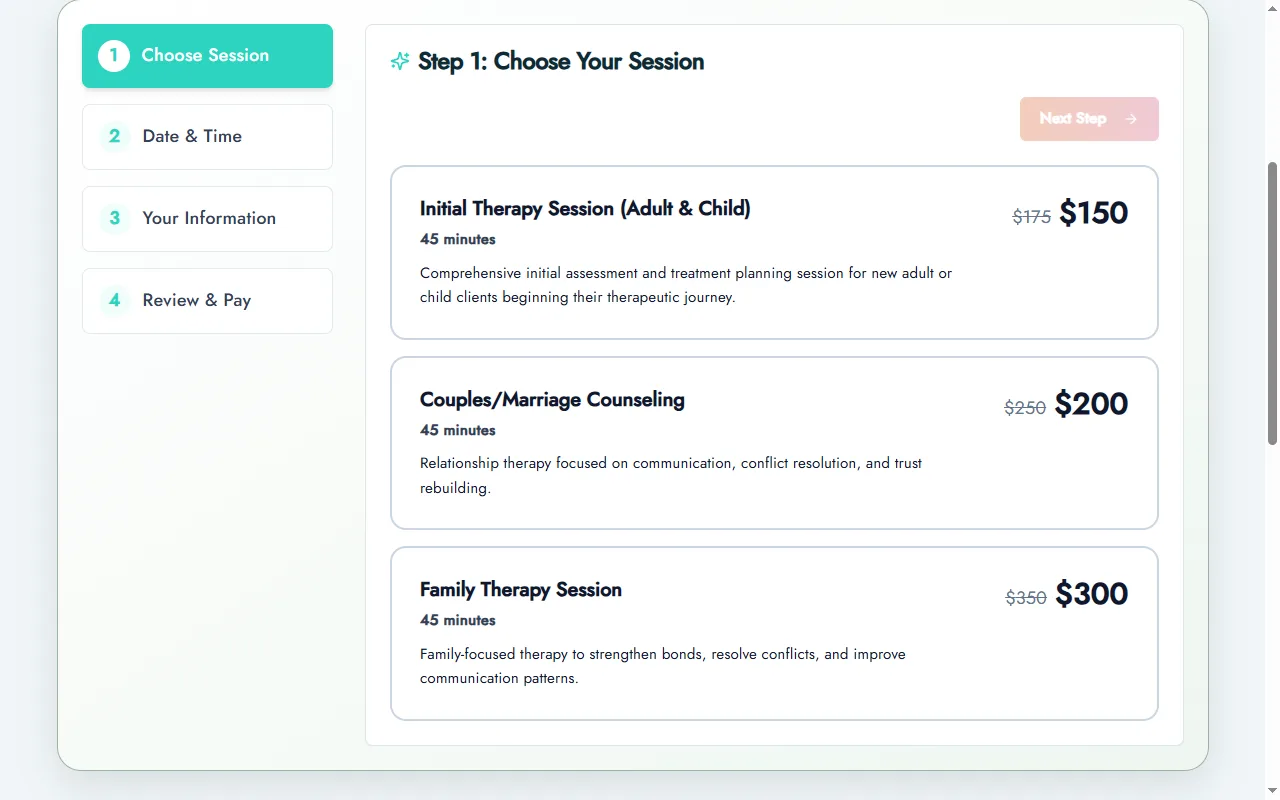
- The booking page, where new clients choose a session, pick telehealth or in office, and pay. See online booking.
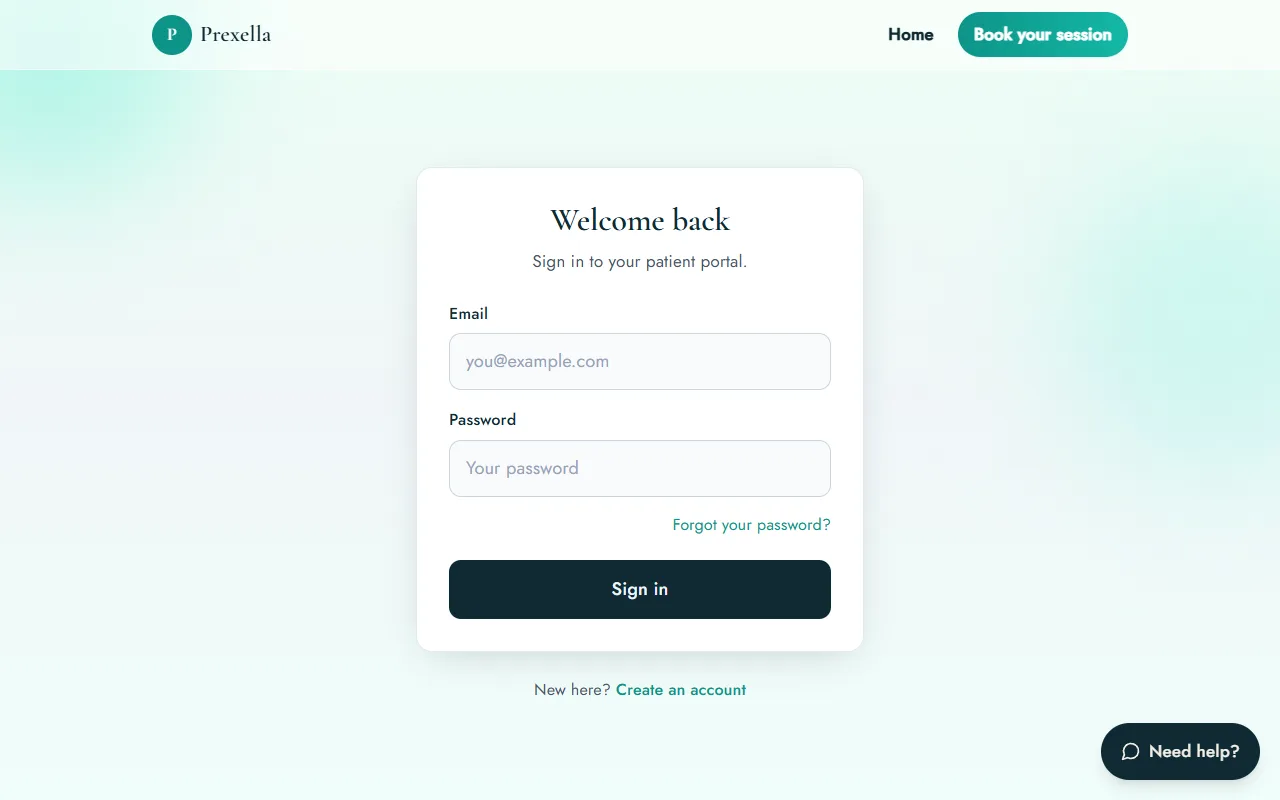
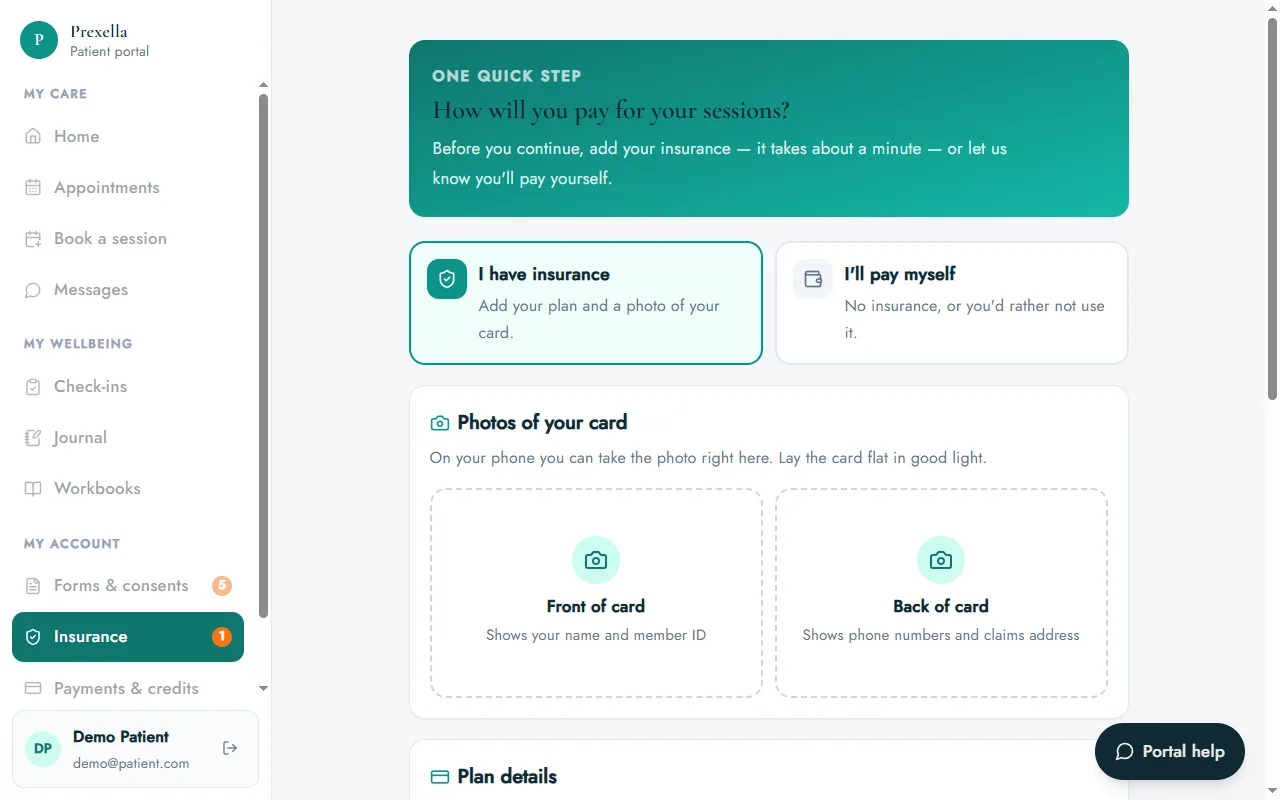
- The client portal, from the sign-in page through appointments, forms, messages, check-ins and payments. See the client portal.
- Every email: booking confirmations, reminders, credit receipts and low-balance notices, form requests and newsletters, sent under your practice's name with replies going to your inbox.
- Forms and consents, including the practice name in the consent language clients sign.
- Superbills, which carry your practice name, address, credentials, NPI and EIN from your billing settings.
- Newsletters from the marketing suite, which go to your clients from your practice.
What stays the same for you
White-label changes what clients see, not how you work. The dashboard, calendar, superbills, credits and reports are the same for every practice, so the team that sets up your instance can support it, and new features reach your practice without you redoing your branding. Your staff log in to the dashboard; your clients only ever see your practice.
Why it matters for marketing
Every client touchpoint either builds your brand or someone else's. When a client forwards a booking link to a friend, it is your domain they share. When they search for you later, they find your site, not a directory of competitors. For practices that invest in their own website and ads, keeping clients on your domain is the point.
How it compares
Most practice management systems in this market do not list running on your own domain on their pricing pages. Carepatron lists white labeling on its Advanced plan, and Practice Better lists portal branding and a personalized URL on its Plus plan. The details, checked against each vendor's pricing page, are in SimplePractice alternatives and Prexella vs Carepatron.
Who it is for
White-label matters most to practices that market under their own name:
- Therapists who have built a local reputation and a website that brings in clients.
- Life coaches whose personal brand is the business.
- Psychologists running a named group practice with several clinicians.
- Counselors who want clients to see one consistent practice from booking to the last session.
To see your own name, domain and session types on a working booking page and portal, request a demo.
Frequently asked questions
Will clients see the Prexella name?
No. Booking, the client portal, forms and emails all show your practice's name and contact details. Those values are set for your instance, so nothing client-facing refers to Prexella.
Can I use my existing domain?
Yes. Prexella runs on your domain or a subdomain of it, for example book.yourpractice.com, and the links in every email point there.
Is my data kept separate from other practices?
Yes. Each practice runs on its own instance, with its own database, its own payment account and its own email sending, so client records are never mixed with another practice's.
Do emails come from my practice?
Yes. Confirmation, reminder, credit and newsletter emails are sent under your practice's name, replies go to your support inbox, and the footer carries your phone number and website.
Who sets up the branding?
The Prexella team does, during setup, along with your services, prices and forms. You go live with a system that already looks like your practice.
See Prexella with your own workflow
A live, one-on-one walkthrough of scheduling, superbills, the client portal and marketing tools. Free, no obligation.