

Features
Prepaid Therapy Sessions with Session Credits and Packages
Prexella turns prepaid therapy sessions into a credit balance: clients buy credits or a package up front, every session they book draws from that balance, and the reminders to top up go out automatically.
- Clients pay before the session
- Balance and history in the portal and dashboard
- Automatic low-balance emails
- Cash payments recorded by staff
Last updated 10/10/2026
The problem: revenue slipping away between sessions
In a cash-pay practice, the session happens first and the money often comes later. Clients forget to pay, cards decline, and packages sold on paper are tracked in a spreadsheet nobody updates. At the end of the month someone has to work out who still owes what, and every one of those conversations is awkward for a therapist who has to sit across from the same client next week.
No-shows and late cancellations make it worse. Without a balance to draw from, a cancellation policy is something you have to enforce by invoice, so most practices quietly let it go.
Prexella's fix is prepaid session credits: clients pay first, card checkout happens at booking, and low-credit reminders go out without you writing them.
How Prexella's prepaid therapy sessions work
Credits are a running balance on each client's account, kept as a ledger rather than a single number, so every change has a reason and a date.
- Clients buy credits. In the client portal, clients buy a single session's worth of credits or a multi-session package and pay by card. New clients can also pay by card when they first book on your online booking page.
- Booking draws from the balance. When a client books in the portal, the session's credit cost is deducted. If the balance does not cover the session, the portal asks them to buy credits first, so a session is never booked unpaid.
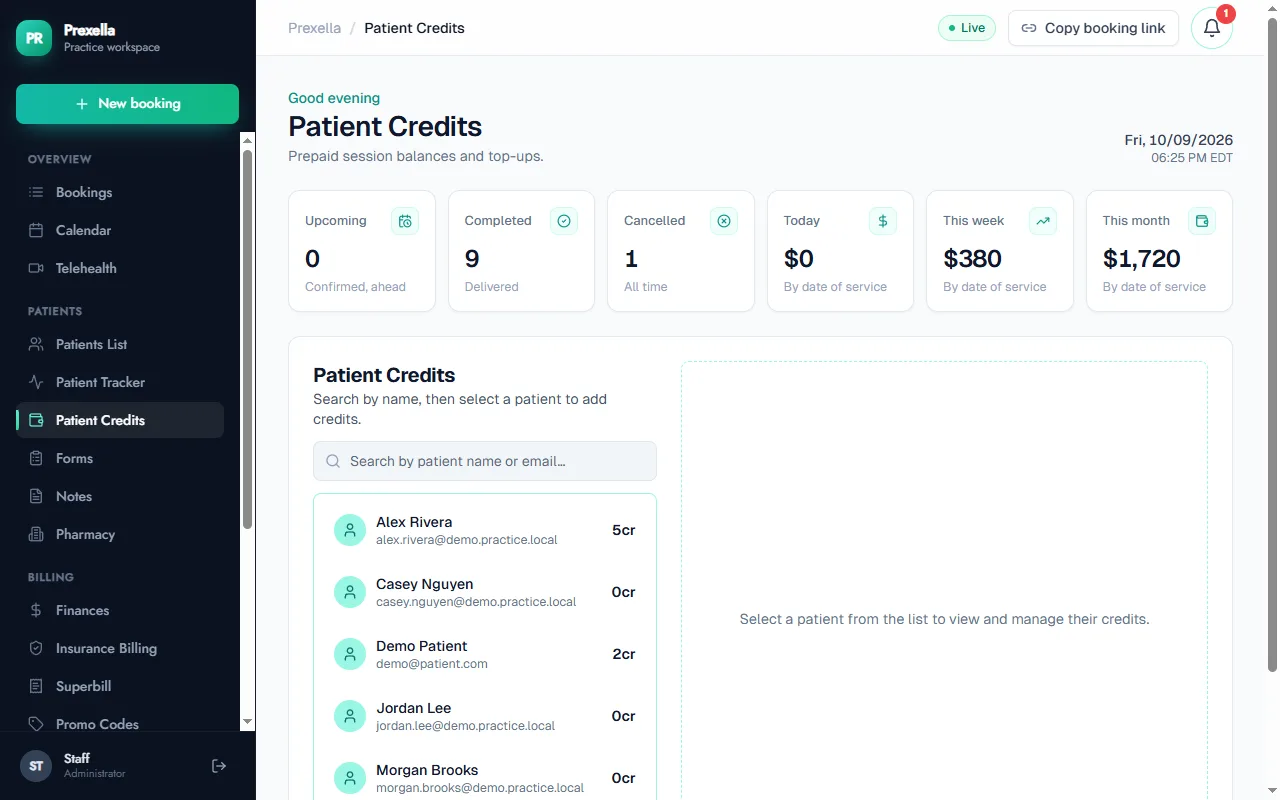
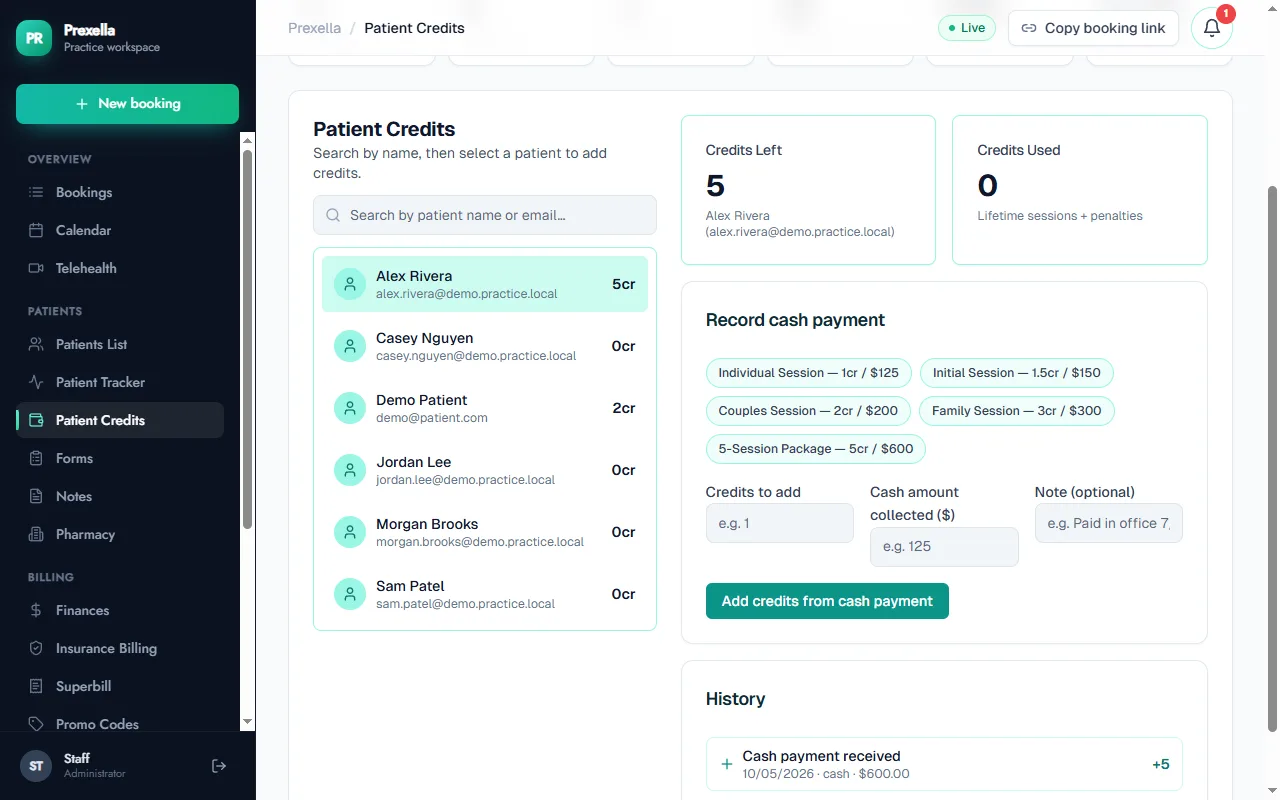
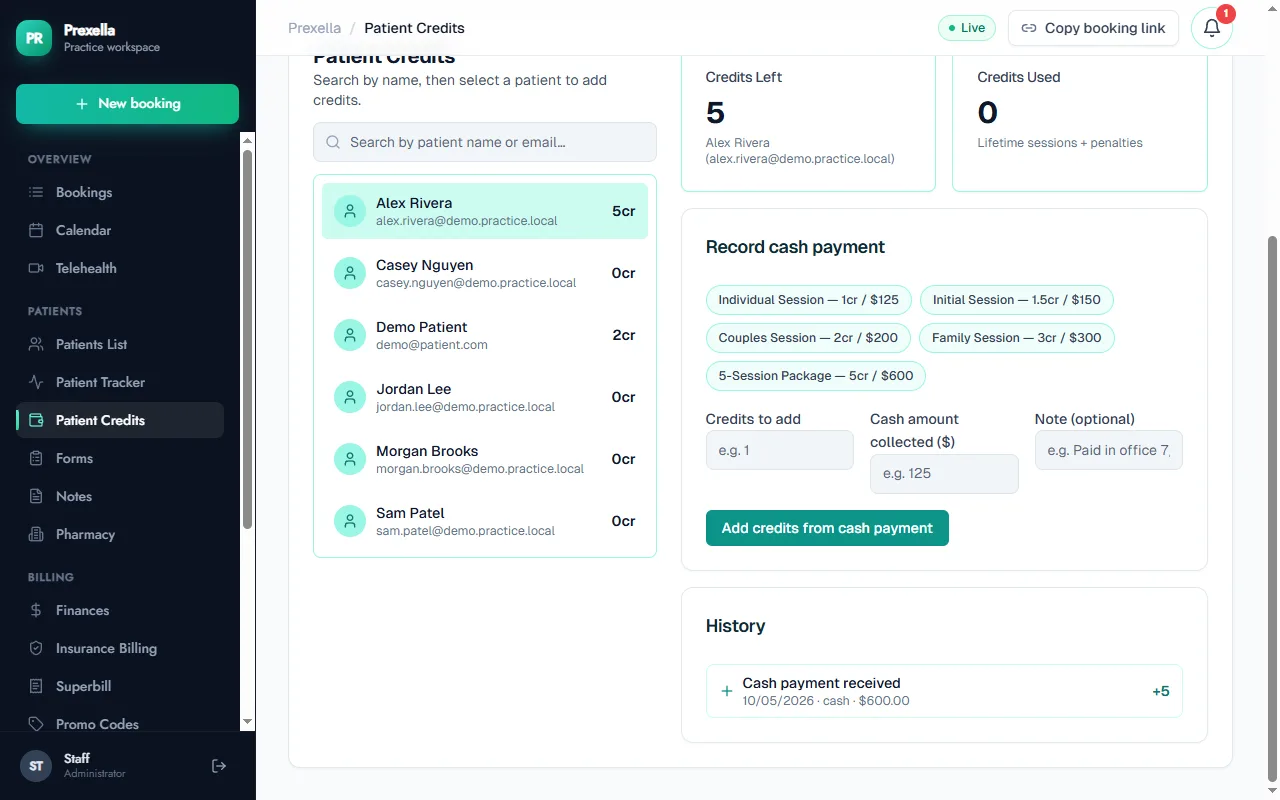
- Everyone sees the same numbers. Clients see their balance and history in the portal. Staff see every client's balance in the Patient Credits tab, with credits left, credits used and the full history.
- Staff can record offline payments. Cash or a check taken in the office is recorded against the client, which adds the credits and logs the payment.
Emails that go out on their own
| When | What the client receives |
|---|---|
| They buy credits | A receipt with the credits added and the new balance |
| A booking takes the balance to 2, 1 or 0 | A low-balance or out-of-credits notice |
| Credits are added back, such as a cash payment, refund or promo credit | An email with the credits added and the new balance |
| A session is three days away and they have 0 or 1 credit | A reminder to top up before the session |
| They cancel within 48 hours of a session | A late-cancellation notice explaining the forfeited credit |
Package clients also get a reminder the day before the final session of their package, which is the natural moment to renew.
A cancellation policy you do not have to enforce by hand
When a client cancels in the portal within 48 hours of the session, one credit is forfeited and the client gets an email that explains why. The rule is applied the same way to every client, which takes the negotiation out of it. Put the policy in your financial responsibility form, which clients e-sign during intake through ESIGN and UETA e-signatures, so it is agreed before the first session.
Packages and superbills together
Prepaid does not have to mean out of pocket for good. Clients with out-of-network benefits can still claim them: a superbill lists each completed session with its CPT code and the amount paid, whether the session was paid by card at booking or drawn from credits. If you are setting prices, the session rate calculator helps you work out a package price that covers your costs.
Who it is for
Prepaid credits suit practices where clients come regularly and pay privately:
- Life coaches who sell coaching packages rather than single sessions.
- Therapists with weekly private-pay clients who want to stop invoicing after each session.
- Marriage and family therapists, where couples and family sessions cost more credits than individual ones.
- Counselors who want a cancellation policy applied the same way every time.
To see credits, packages and the reminder emails set up with your own session prices, request a demo.
Frequently asked questions
How do clients buy credits?
In the client portal, under Payments & credits. They choose a single session's worth of credits or a package and pay by card. The credits are added to their balance straight away and they receive a receipt by email.
Do different sessions cost different numbers of credits?
Yes. Each session type has a credit cost, for example one credit for an individual session and more for a couples or family session. The costs are set for your practice during setup.
What happens when a client runs low?
When a booking takes the balance to 2, 1 or 0 credits, the client gets an email. A separate daily check emails clients who have a session three days away and 0 or 1 credit left, so they can top up before the session.
What about late cancellations?
A client who cancels in the portal within 48 hours of the session forfeits one credit under the cancellation policy and receives an email explaining it. The same rule applies to every client.
Can I take cash or a check in the office?
Yes. Record the payment on the client's credit page in the dashboard; the credits are added, the payment appears in their history and the client gets an email with the new balance.
See Prexella with your own workflow
A live, one-on-one walkthrough of scheduling, superbills, the client portal and marketing tools. Free, no obligation.