

Features
Telehealth Scheduling for Therapists, in the Same Calendar as In-Person Sessions
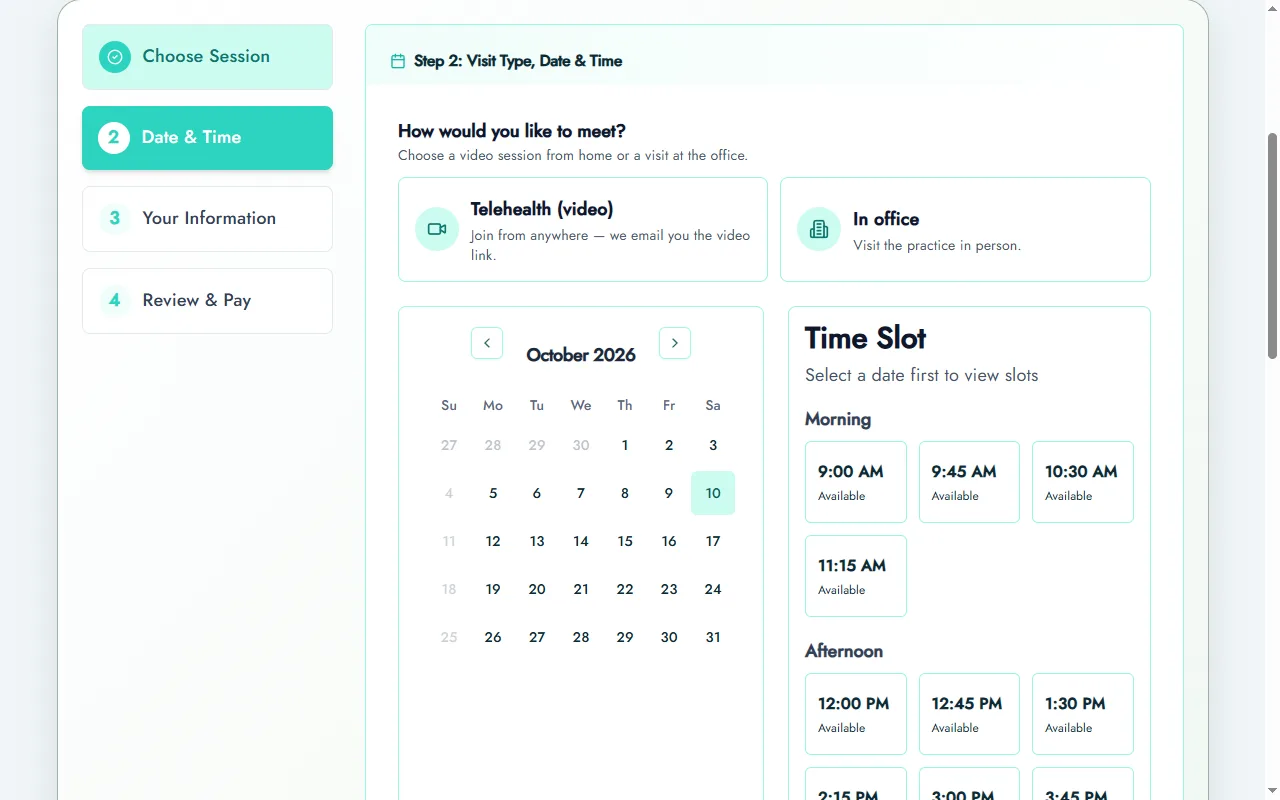
Prexella handles telehealth scheduling for therapists in the same calendar as in-office sessions: clients choose the visit type when they book, and the right video link reaches them by email and in their portal.
- Visit type chosen at booking
- Join link in confirmation and reminder emails
- Use your own video tool
- Telehealth place-of-service on superbills
Last updated 10/10/2026
The problem: two calendars for one caseload
Most private practices are hybrid now. Some clients come to the office, some join from home, and many switch depending on the week. When the booking tool knows nothing about video, the practice ends up keeping two lists: the calendar of appointments, and a separate trail of video links pasted into emails by hand.
That is where things slip. A client gets the wrong room, or no link at all, five minutes before the session. A session that happened by video goes onto a superbill coded as an office visit, and the client's insurer questions it. Scheduling and telehealth live in tools that do not talk to each other, and the practice owner is the glue between them.
The fix is one calendar, where every session carries its visit type from the moment it is booked.
How Prexella's telehealth scheduling for therapists works
Telehealth is part of the booking itself, not a separate system.
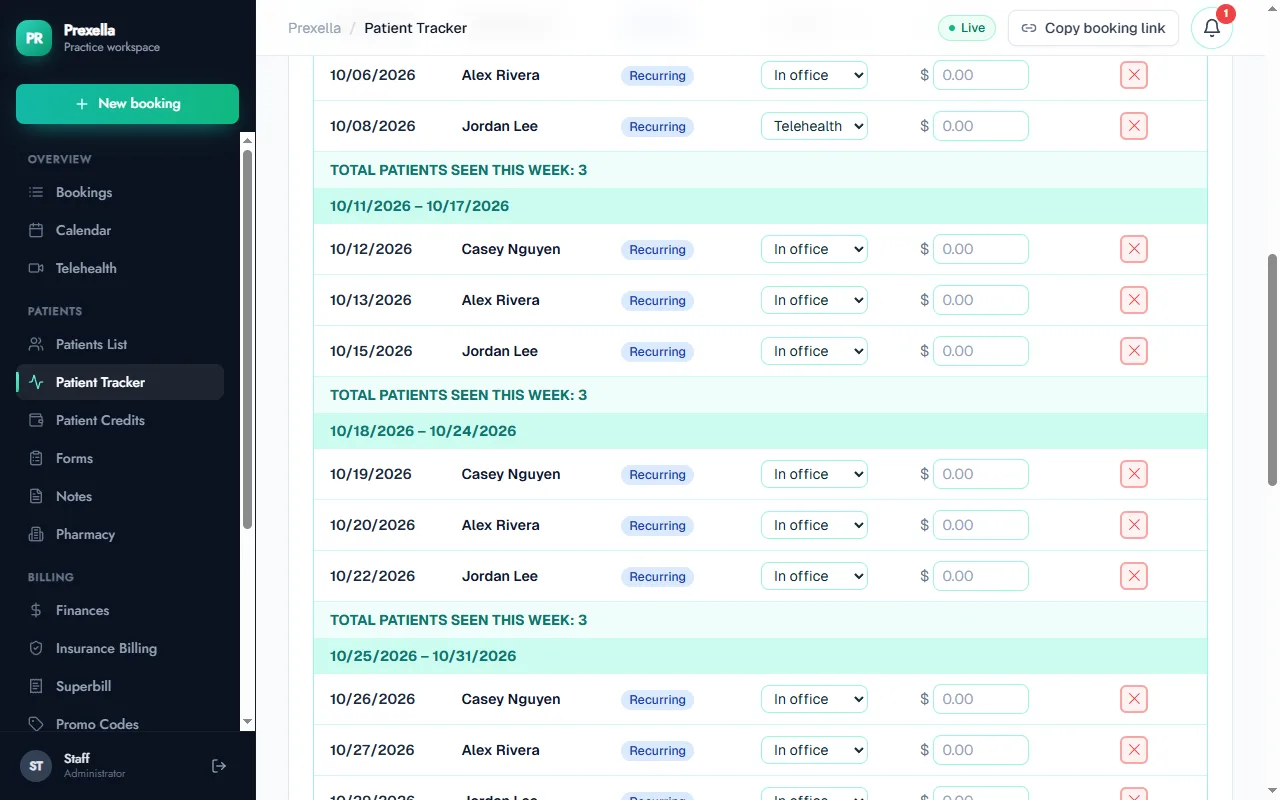
- The client chooses the visit type. On your online booking page and in the client portal, the client picks Telehealth (video) or In office before choosing a time. Staff can change any session's visit type later from the Patient Tracker.
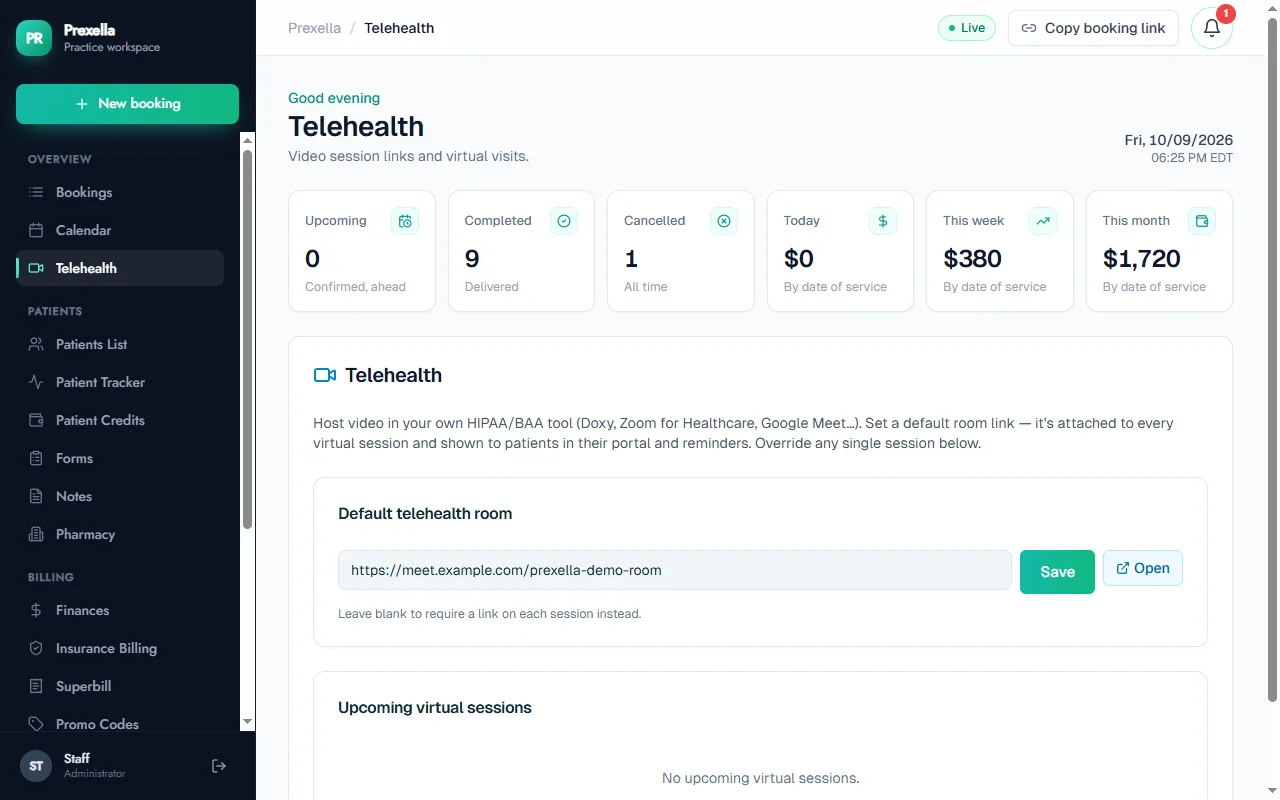
- You set the room once. In the Telehealth tab you save a default room link from your own video tool. It is attached to every virtual session automatically. If one session needs a different room, paste a link on that session and it overrides the default.
- The link travels with the session. The confirmation email includes the join link, the reminder email the day before includes it again, and the upcoming visit in the client portal shows a Join session button. In-office sessions never show a link.
- The record stays accurate. The calendar and the Patient Tracker show each session's visit type, and superbills use the matching place-of-service code.
Bring your own video tool
Prexella does not run the video call. Practices already pay for a video platform they have a business associate agreement with, and switching video tools is disruptive for clients. Prexella stores and routes the link instead, so you keep the platform you trust and drop the copy-and-paste. Any tool that gives you a room URL works: Doxy.me, Zoom for Healthcare, Google Meet on a Workspace plan, or another platform covered by your agreement.
Reminders that match the visit
Each client gets a reminder email the day before every session. For a telehealth session, the email includes the join link; for an office visit, it does not. Because the visit type is stored on each booking, a recurring client who alternates between home and office gets the right reminder every week without anyone editing it.
Correct place of service on superbills
Clients who claim out-of-network reimbursement need the superbill to say where the session happened. Prexella sets the place-of-service code from the visit type: 11 for the office, and your default telehealth code, 10 for the client's home or 02 for another location, for virtual sessions. The therapist can change the code on any line. The therapy CPT code reference explains the codes most practices use.
Who it is for
Hybrid scheduling matters most to practices whose clients move between office and home:
- Therapists running a private-pay caseload with a mix of in-office and video sessions.
- Psychologists who see some clients by video across their licensed states.
- Counselors whose clients join from work or home between office visits.
- Clinical social workers offering telehealth to clients who cannot travel.
If you are comparing systems, note the difference in approach: some competitors include video in the subscription, while Prexella routes the link to the tool you already use. Prexella vs SimplePractice covers that trade-off. To see a hybrid week set up with your own session types and video room, request a demo.
Frequently asked questions
Does Prexella host the video call?
No. The video runs in the tool you already use under a business associate agreement, such as Doxy.me, Zoom for Healthcare or Google Meet on a Workspace plan. Prexella schedules the session and gets the right link to the right client.
Can one client switch between video and office visits?
Yes. The visit type belongs to each booking, not to the client. A client can come in one week and join by video the next, and the reminder for each session matches its visit type.
Where does the client find the link?
In the booking confirmation email, in the reminder sent the day before the session, and on the upcoming visit in their client portal, which shows a Join session button.
Can I use a different room for one session?
Yes. Set a default room for the practice, then paste a different link on any single upcoming virtual session in the Telehealth tab. That session uses its own link; every other session keeps the default.
How are telehealth sessions coded on superbills?
Virtual sessions take your default telehealth place-of-service code, 10 for the client's home or 02 for another location, and office visits take 11. You can change the code on any line before generating the PDF.
See Prexella with your own workflow
A live, one-on-one walkthrough of scheduling, superbills, the client portal and marketing tools. Free, no obligation.