

Features
PHQ-9 GAD-7 Online Screening Built Into the Client Portal
Prexella puts PHQ-9 GAD-7 online screening in the client portal: clients complete validated check-ins between sessions, each one is scored when it is submitted, and the result is saved to the client's record for you to review.
- Scored automatically on submit
- PHQ-9 item 9 triggers the C-SSRS
- High-risk results flagged in the dashboard
- Crisis resources shown to the client
Last updated 10/10/2026
The problem: measurement that never happens
Most clinicians agree that tracking symptoms over time improves care, and many payers and referral sources expect it. In practice, measurement-based care stalls on logistics: paper questionnaires handed out in the waiting room, scored by hand, filed somewhere, and compared with last month's score only when someone remembers to look.
There is also a safety problem. A client who answers the PHQ-9 suicide item on paper the night before a session leaves that answer unseen until the session starts, if it is noticed at all.
Prexella's fix is validated screenings built into the client portal, scored when they are submitted, saved to the client's record, and wired to a safety follow-up.
How Prexella's PHQ-9 GAD-7 online screening works
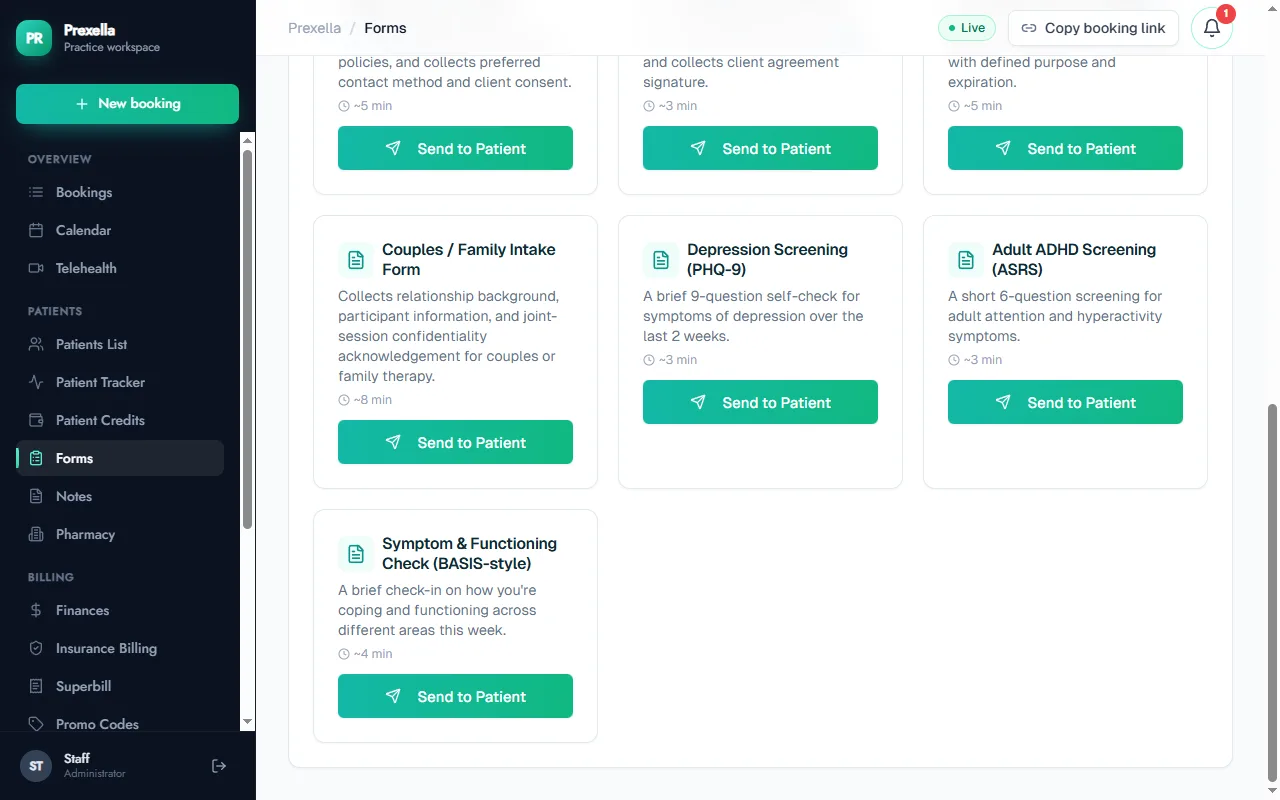
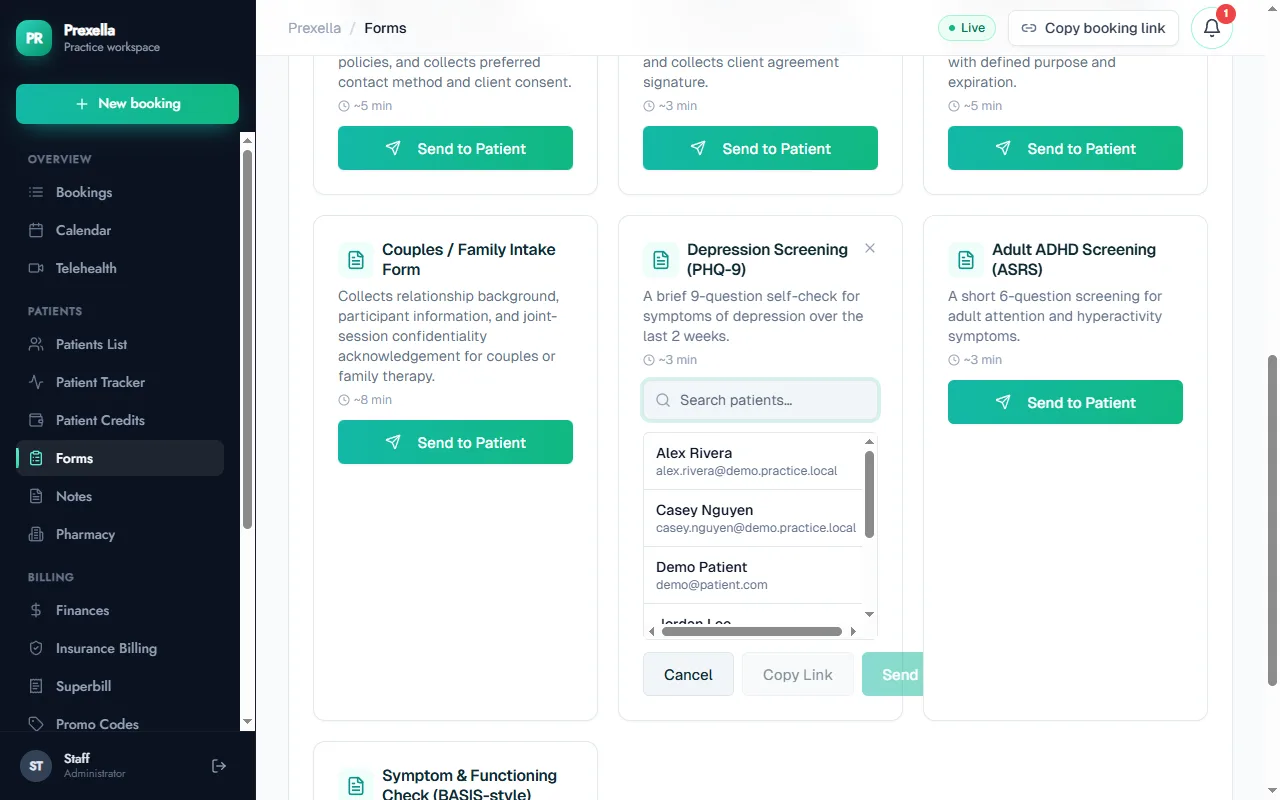
- Clients complete check-ins in the portal. In the client portal, under Check-ins, clients choose a screening and answer it on a phone or computer. You can also send the PHQ-9, the ASRS or a symptom and functioning check from the Forms tab as a form with a direct link.
- Each one is scored on submit. Prexella totals the answers, places the score in its severity band and stores it with the date. The client sees their own result.
- Follow-ups run automatically. Any answer above zero on PHQ-9 item 9 routes the client straight to the C-SSRS screener, and a positive AUDIT-C leads to the full AUDIT.
- Risk is flagged. A high-risk result is flagged on the record, the client is shown crisis resources (988, 911 and the nearest emergency room), and the result appears as a high-risk item in the dashboard notifications.
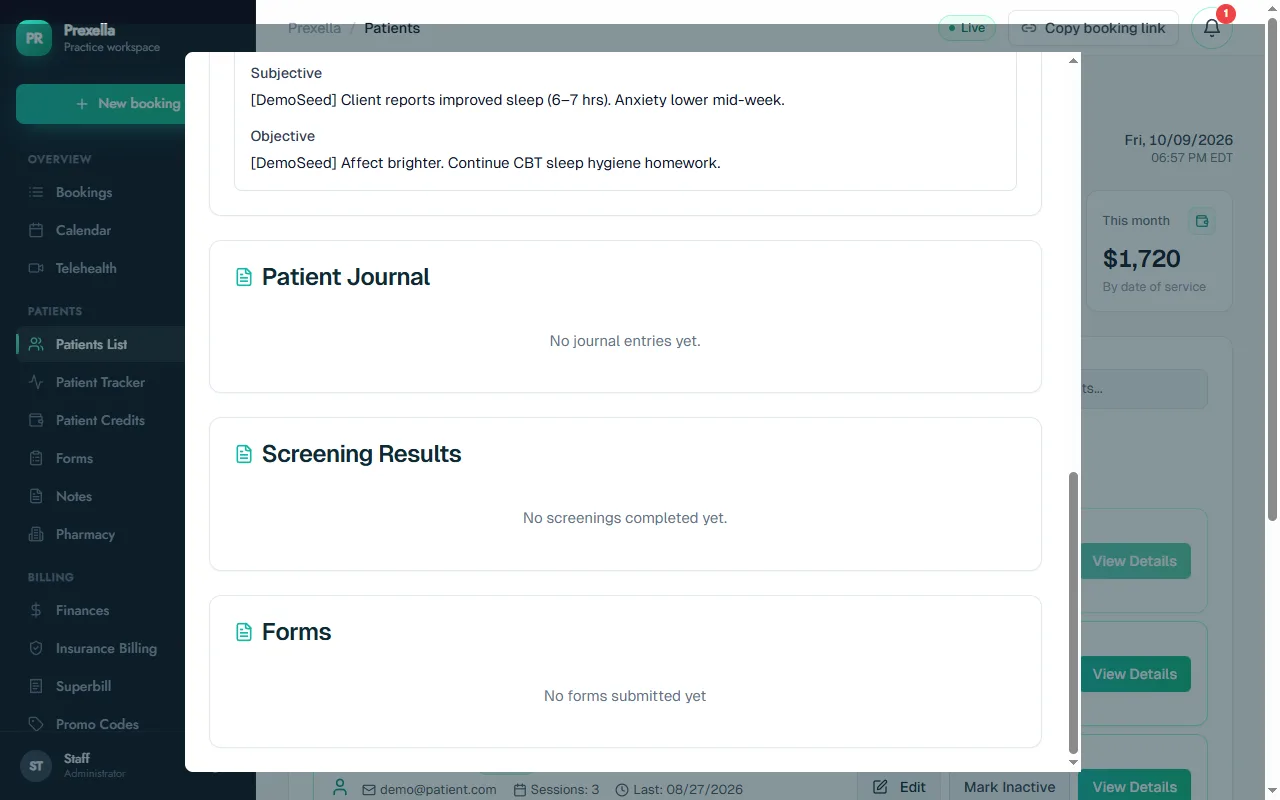
- You review it on the record. The client's record in the dashboard lists every completed screening with its score and severity, so you can see change across treatment.
Instruments and score bands
| Instrument | What it screens | How the score is shown |
|---|---|---|
| PHQ-9 | Depression | 0–4 minimal, 5–9 mild, 10–14 moderate, 15–19 moderately severe, 20–27 severe |
| GAD-7 | Anxiety | 0–4 minimal, 5–9 mild, 10–14 moderate, 15–21 severe |
| PCL-5 | Post-traumatic stress | 0–32 below provisional threshold, 33–80 at or above threshold |
| AUDIT-C | Alcohol use | 0–3 lower risk, 4–7 increased risk, 8–12 higher risk; 4 or more leads to the full AUDIT |
| DAST-10 | Drug use | Scored by severity band |
| C-SSRS screener | Suicide risk | Risk level from the items endorsed; intent, plan or behavior is flagged high risk |
| ASRS v1.1 Part A | Adult ADHD | Offered when attention symptoms are a concern |
Part of the client record, not a separate tool
Screenings sit alongside the rest of the client's record: sessions, notes and signed forms collected with ESIGN and UETA e-signatures. For the clinical side of using these tools, including how often to repeat them, see using the PHQ-9 and GAD-7 in private practice.
Who it is for
Built-in screening is most useful to clinicians who track outcomes across treatment:
- Psychologists practicing measurement-based care alongside assessment.
- Counselors who want a quick read on symptoms before each session.
- Therapists who want PHQ-9 and GAD-7 trends without paper forms.
- Clinical social workers who need a safety follow-up built into intake.
To see the check-ins, scoring and the safety follow-up with your own forms, request a demo.
Frequently asked questions
Which screening instruments are included?
The PHQ-9 for depression, GAD-7 for anxiety, PCL-5 for post-traumatic stress, AUDIT-C with a follow-up to the full AUDIT for alcohol use, DAST-10 for drug use, the C-SSRS screener for suicide risk, and the ASRS v1.1 Part A for adult ADHD.
What happens if a client endorses the PHQ-9 suicide item?
Any answer above zero on item 9 routes the client straight to the C-SSRS screener and flags the result. A high-risk result shows crisis resources to the client, including 988 and 911, and appears as a high-risk item in your dashboard notifications.
Who sees the results?
Results are saved to the client's record in your dashboard with the score, severity and date. Clients can see their own completed check-ins in the portal.
Are screenings a diagnosis?
No. Screening tools support clinical judgment and track change over time. They do not replace assessment by a licensed clinician, and the clinician decides what a score means for treatment.
Can screenings be billed?
Some payers reimburse brief standardized assessments under CPT 96127 when they are scored and documented. Prexella's insurance billing workspace includes 96127 for claims; check each payer's rules before billing it.
See Prexella with your own workflow
A live, one-on-one walkthrough of scheduling, superbills, the client portal and marketing tools. Free, no obligation.