

Features
E-Signature for Therapy Intake Forms, With an ESIGN and UETA Audit Trail
Prexella gives you e-signature for therapy intake forms built into the practice: clients sign intake, consent, telehealth and financial forms online, and each signature is stored with an ESIGN and UETA audit trail.
- Intake and consent signed before session one
- Typed or drawn signature
- Consent, time, IP and browser recorded
- Signed on a phone, no app
Last updated 10/10/2026
The problem: paperwork that is not done by session one
Every new client needs the same packet before the first session: intake, informed consent, the privacy notice acknowledgment, a telehealth consent if they will ever join by video, and a financial agreement that sets out your fees and cancellation policy. On paper or as emailed PDFs, the packet comes back half-finished, unsigned, or not at all, and the first ten minutes of session one go to a clipboard.
Then there is the question of whether the signature would hold up. A checkbox on a generic form builder records that a box was ticked. It does not record that the client agreed to sign electronically, who they said they were, or when and from where they signed.
Prexella's fix is a set of therapy forms built into the practice system, each ending in a signature block that records what the ESIGN Act and the UETA look for.
How Prexella's e-signature for therapy intake forms works
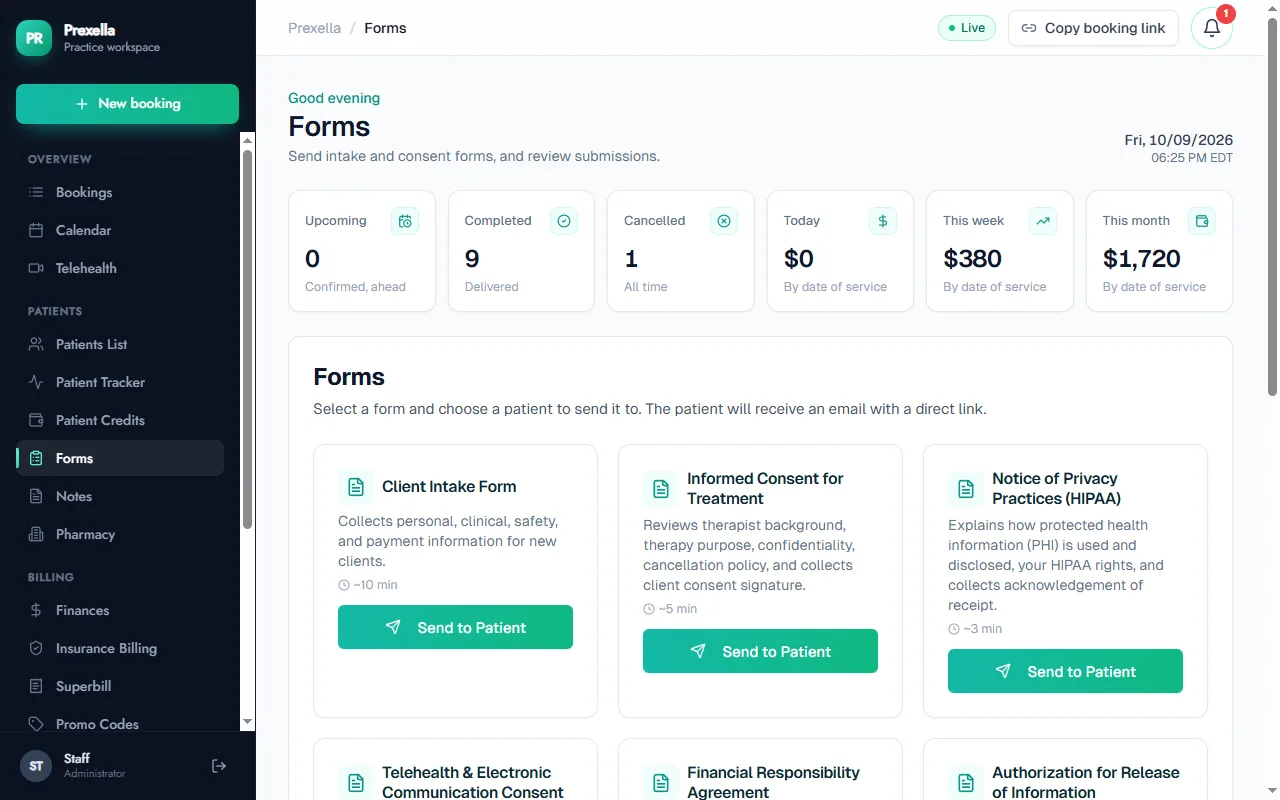
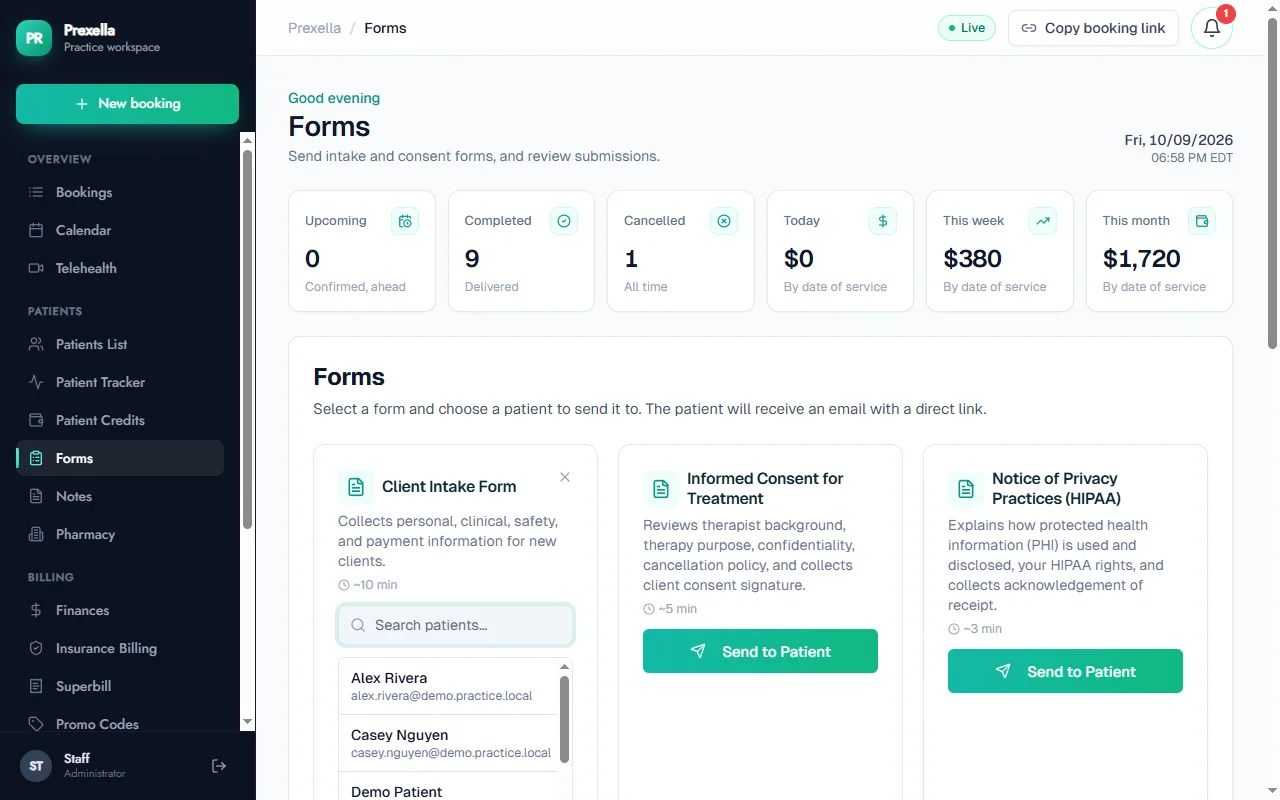
- Send the form. In the Forms tab, choose a form and the client. Prexella emails the client a direct link, or you can copy the link and send it yourself. Clients with a portal account also find outstanding forms under Forms & consents in the client portal, and the portal reminds them about unfinished forms before their visit.
- The client fills it in and signs. At the end of each form, the client types their full legal name, adds the date, can draw a signature with a finger or mouse, and ticks a statement agreeing that signing electronically is the legal equivalent of a handwritten signature. The form cannot be submitted without that agreement.
- The server records the signature. When the form arrives, Prexella stores the answers together with the audit record below. The time and IP address are captured by the server, not taken from the client's device.
- You review it on the client's record. Open the client in the dashboard and choose View Form to see the answers and the signature panel side by side.
What the audit trail records
| Field | Why it matters |
|---|---|
| Consent to sign electronically | Shows the client agreed to do business electronically and intended to sign |
| Typed legal name | Attributes the signature to the signer |
| Drawn signature (optional) | A handwritten-style mark, stored with the form |
| Date and time signed | Captured by the server when the form is submitted |
| IP address and browser | Supports that the signature came from the client's own device |
The signed form and its audit fields are kept together as one record, so the evidence of who signed what, and when, stays with the document.
The forms included
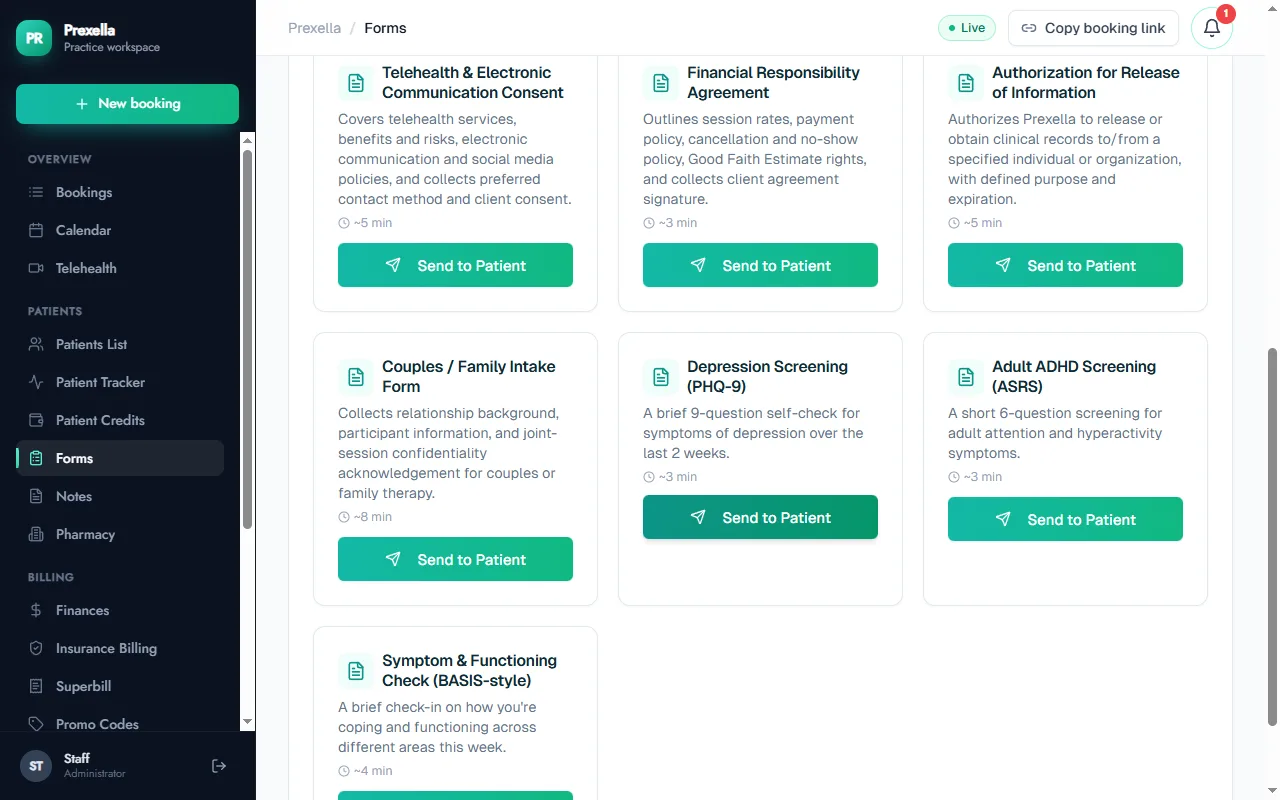
- Client intake form: personal, clinical, safety and payment information for new clients.
- Informed consent for treatment: your background, the purpose of therapy, confidentiality and the cancellation policy.
- Notice of privacy practices acknowledgment: how protected health information is used and the client's rights.
- Telehealth and electronic communication consent: benefits and risks of telehealth and preferred contact methods.
- Financial responsibility agreement: session rates, payment and no-show policy, and Good Faith Estimate rights.
- Authorization for release of information: permission to share records with a named person or organization, with a purpose and an expiry.
- Couples and family intake: relationship background and joint-session confidentiality.
Each form carries your practice and provider name, because Prexella is white-label.
Who it is for
Signed paperwork before the first session matters to every licensed clinician, and most to these practices:
- Marriage and family therapists, where couples and family intake brings several signers.
- Therapists who see new clients by video and need telehealth consent on file.
- Counselors who want informed consent and the cancellation policy agreed in writing.
- Psychologists who send releases of information to coordinate care.
To see the forms and the signature panel with your own practice name on them, request a demo.
Frequently asked questions
Are e-signatures valid for therapy consent forms?
Under the federal ESIGN Act and the UETA, which most states have adopted, an electronic signature is generally valid when the signer intends to sign, agrees to do business electronically, and a record of the signature is kept. Some documents and some states have specific rules, so check with your board or attorney for anything unusual.
Can clients sign on a phone?
Yes. Forms work in any phone or computer browser. Clients type their full legal name and can also draw a signature with a finger or mouse.
What does Prexella record when a client signs?
The client's agreement to sign electronically, their typed name, the drawn signature if they added one, and the time, IP address and browser captured by the server at the moment of signing.
Where do I see a signed form?
Open the client's record in the dashboard and choose View Form. The client's answers and the signature panel, showing who signed, when, their e-sign consent and the IP address, appear together.
Which forms are included?
Client intake, informed consent for treatment, notice of privacy practices acknowledgment, telehealth and electronic communication consent, financial responsibility agreement, authorization for release of information, couples and family intake, and screening check-ins such as the PHQ-9.
See Prexella with your own workflow
A live, one-on-one walkthrough of scheduling, superbills, the client portal and marketing tools. Free, no obligation.