

Features
Client Portal Software for Therapy Practices
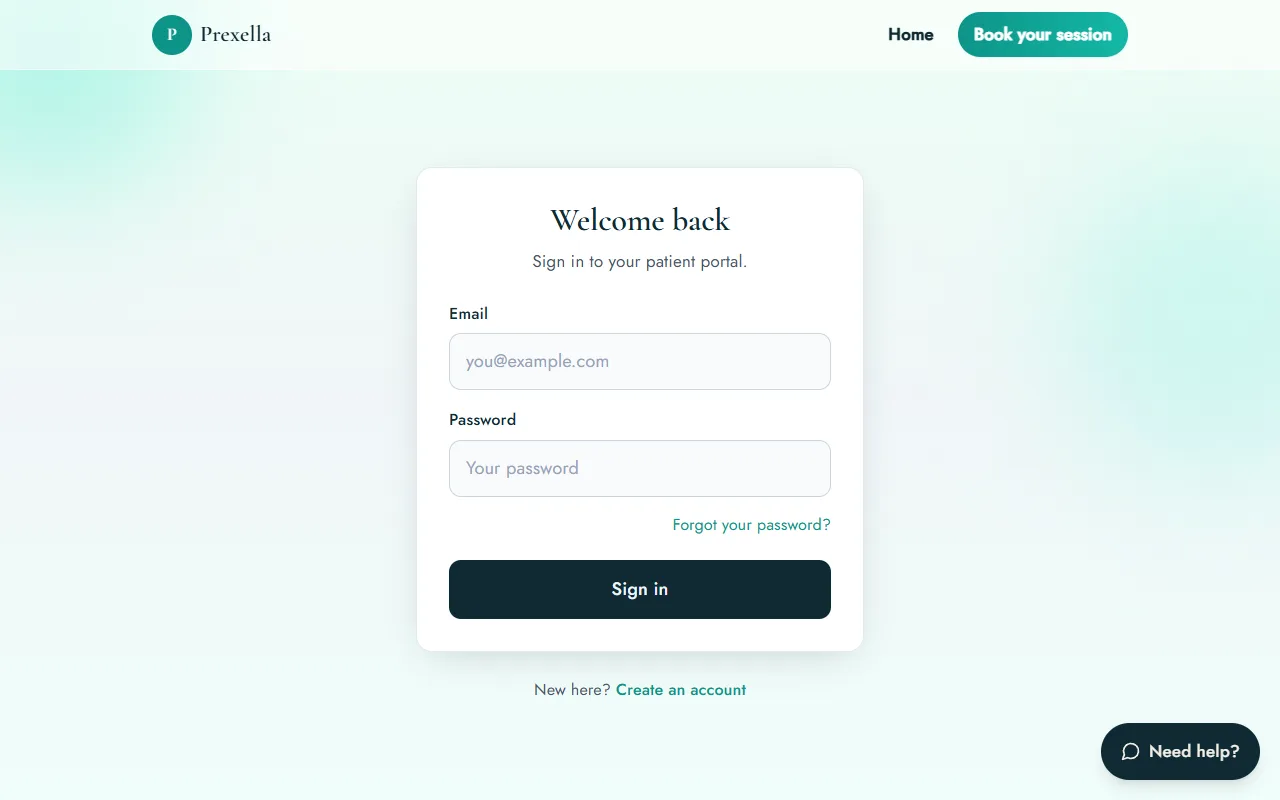
Prexella is client portal software that gives every client one place, on your domain, to book and reschedule, sign forms, pay, message you and complete check-ins between sessions.
- Works in any browser, no app
- Your name and domain
- ESIGN and UETA e-signatures
- Shares one record with your dashboard
Last updated 10/10/2026
The problem: tools that don't talk to each other
In most small practices the client's information is scattered: bookings in a calendar app, payments in a card reader, forms in a separate e-signature service, check-ins on paper, and messages in personal email. Clients get links from four different services, none of them carry your name, and you spend the week copying details from one place to another. A missing intake form is only noticed when the client is already in the session.
Prexella's fix is a single record: the calendar, payments, forms and messages share one database, and the client portal is the client's view of it.
How Prexella's client portal software works
Clients sign in on your domain and see everything about their care with you in one place.
- Appointments. Book new sessions, choosing telehealth or in office; see upcoming and past visits; reschedule or cancel; and join telehealth sessions with one button.
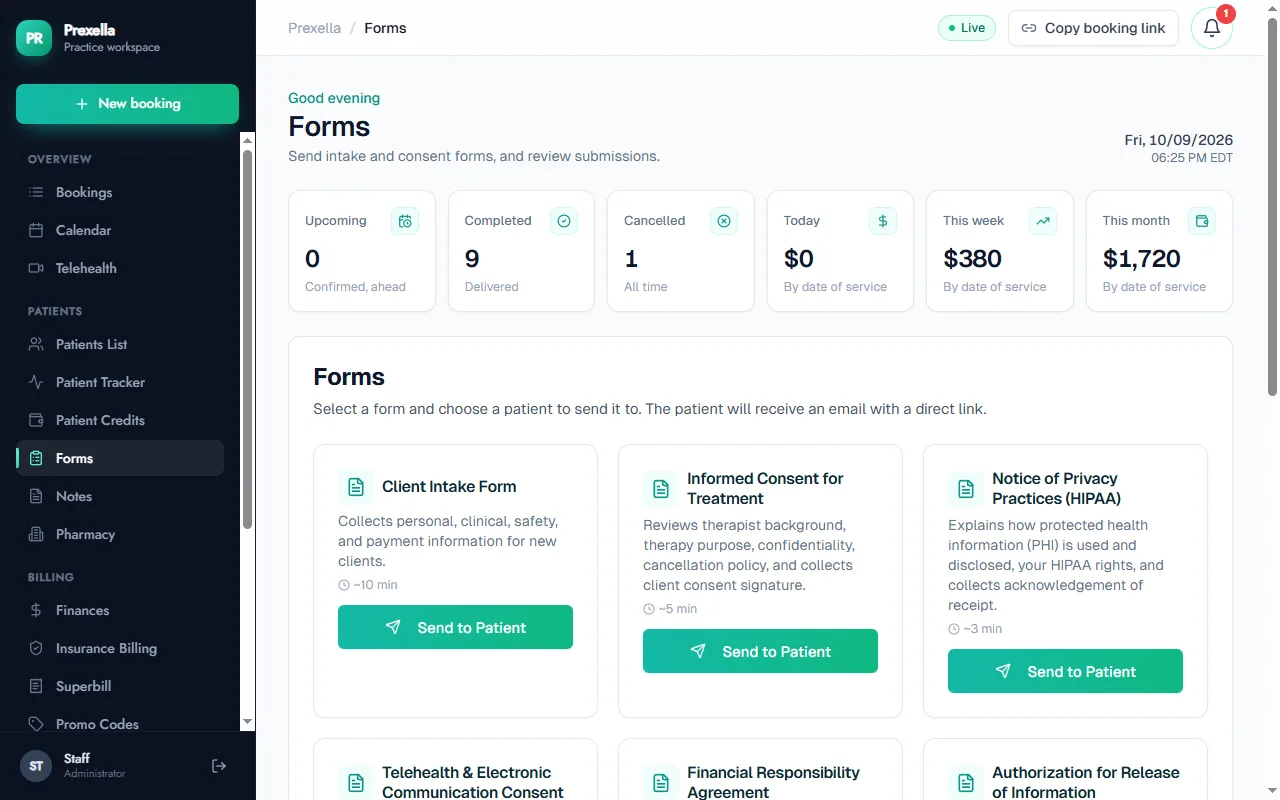
- Forms and consents. Intake, informed consent for treatment, the Notice of Privacy Practices, telehealth consent, financial responsibility, release of information, and a couples and family intake, signed with ESIGN and UETA e-signatures.
- Payments and credits. Buy session credits and see the balance at a glance.
- Messages. Message you securely inside the portal instead of over personal email.
- Check-ins. Complete the PHQ-9 and other screenings, scored and saved to the client record.
- Journal and workbooks. Keep a private journal and work through guided workbooks between sessions.
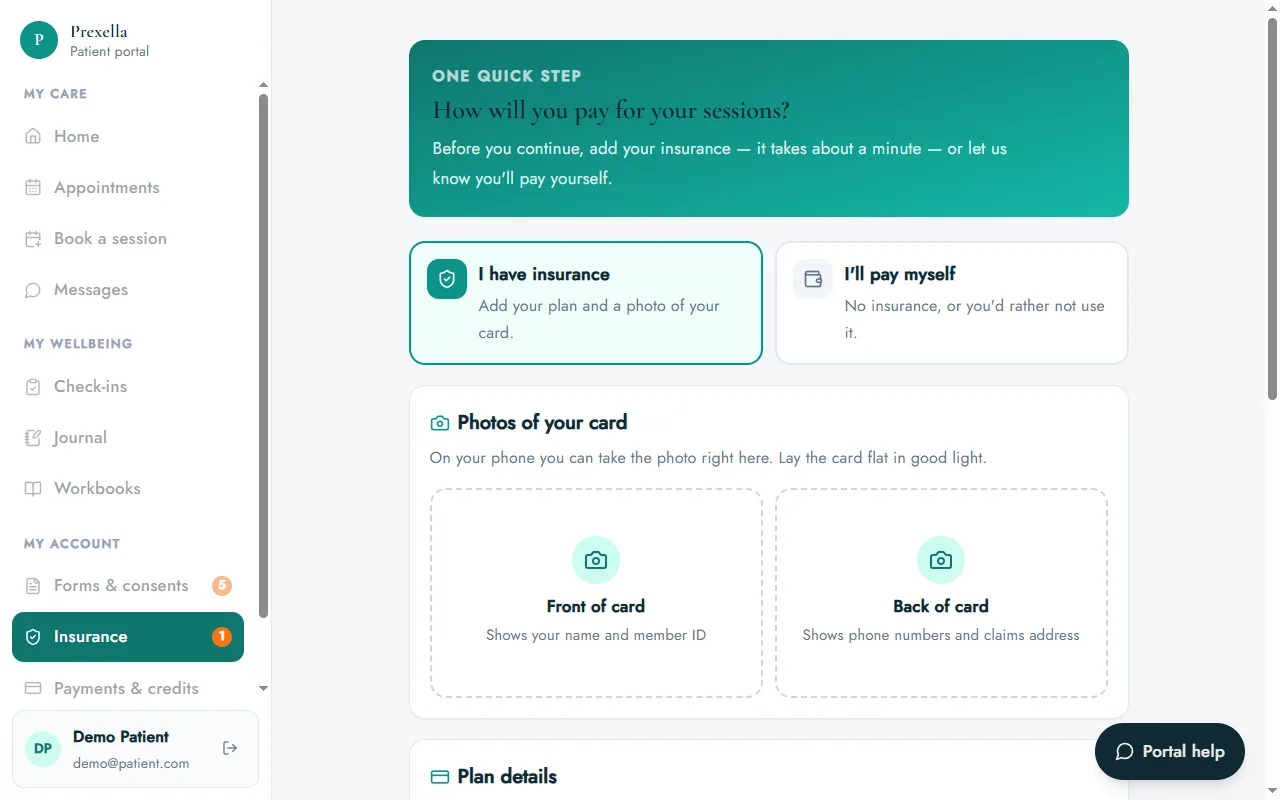
- Insurance and profile. Add insurance details and card photos, or choose self-pay, and keep their address, phone and date of birth up to date.
Nudges that complete the record before the session
The portal tracks what is still missing. A new client is asked to add insurance or choose to pay themselves before anything else, and the navigation shows a count of required forms they have not yet signed and profile details they have not filled in. When a client opens the portal with forms still outstanding, a reminder pops up with a direct link to them, and a second reminder asks for any missing profile details such as date of birth or address. You start sessions with complete paperwork instead of chasing it in the room.
One record, two views
Everything a client does in the portal appears on their record in your dashboard: a signed form shows up under Forms, a new booking lands in the calendar, a credit purchase updates their balance, and a check-in score appears on their record. Your clinical notes stay on your side and are never shown in the portal.
Accounts, sign-in and privacy
Clients create their own portal account with their email address and confirm it from a link in their inbox; new clients who book online are guided straight into this step with their booking already attached. They reset a forgotten password themselves, so you are not the help desk. For privacy on shared or family devices, the portal signs a client out automatically after 10 minutes without activity, with a warning first.
Files clients upload, such as insurance card photos and documents, are kept in private storage rather than at public web addresses, and are shown to you through links that expire after an hour. A help button in the corner answers common questions about using the portal, and anyone who types something that sounds like a crisis is pointed to the 988 Suicide & Crisis Lifeline and 911 right away.
Your brand throughout
Prexella is white-label. The portal, the booking page and every email carry your practice name on your own domain, so clients see your practice rather than a software vendor.
Who it is for
A client portal pays off most where clients do work between sessions and paperwork has to be complete:
- Therapists collecting intake and consent forms before a first session.
- Psychologists using the PHQ-9 and other measures between sessions.
- Counselors who want messages out of personal email.
- Clinical social workers who need signed releases of information on file.
To see the portal from a client's side with your own forms and branding, request a demo. If you are comparing systems, the client portal is one of the rows in SimplePractice alternatives and in the side-by-side Prexella vs SimplePractice comparison, where branding and your own domain are the biggest differences.
Frequently asked questions
Do clients need to download an app?
No. The portal works in any browser on a phone, tablet or computer.
What can clients do in the portal?
Book, reschedule and cancel sessions, join telehealth sessions, sign forms, buy and track session credits, message you, complete check-ins such as the PHQ-9, keep a private journal, work through workbooks, add their insurance and update their profile.
Can clients see each other's information or my notes?
No. Each client signs in to their own account and sees only their own appointments, forms, messages and entries. Your clinical notes stay in your dashboard.
Is the portal branded as my practice?
Yes. Prexella is white-label, so the portal runs on your domain with your practice name, and clients do not see Prexella's name.
What happens if a client cancels late?
Clients can cancel or reschedule from the portal. A cancellation within 48 hours of the session applies your late-cancellation rule to their session credits automatically.
See Prexella with your own workflow
A live, one-on-one walkthrough of scheduling, superbills, the client portal and marketing tools. Free, no obligation.