

Features
Marketing for Therapy Practice, Built Into Your Practice Software
Prexella builds marketing for therapy practice into the same system as your calendar: plan social posts, record and review your Meta and Google ad results, draft video scripts and send newsletters to clients, without a separate agency or app.
- Content plan from idea to posted
- Ad spend, leads and cost per lead in one view
- Newsletters from your practice's name
- Every booking asks how the client found you
Last updated 10/10/2026
The problem: marketing on the side
A cash-pay practice has to market itself. Clients do not arrive from an insurance directory; they arrive from search, social media, referrals and ads. Yet in most practices marketing happens somewhere else entirely: posts planned in a notes app, ad results in two different dashboards, newsletters in a separate email tool, and no record of which channel brought in which client.
The usual alternatives are an agency, which is expensive for a small practice, or nothing, which means spending on ads without knowing what they return.
Prexella's fix is a marketing suite inside the practice system: a content plan, ad performance, AI writing tools and newsletters, next to the calendar they are meant to fill.
How Prexella's marketing for therapy practice works
The marketing tools live in the dashboard sidebar: Marketing, Video Scripting and Editing under Growth, and Newsletter under Communication.
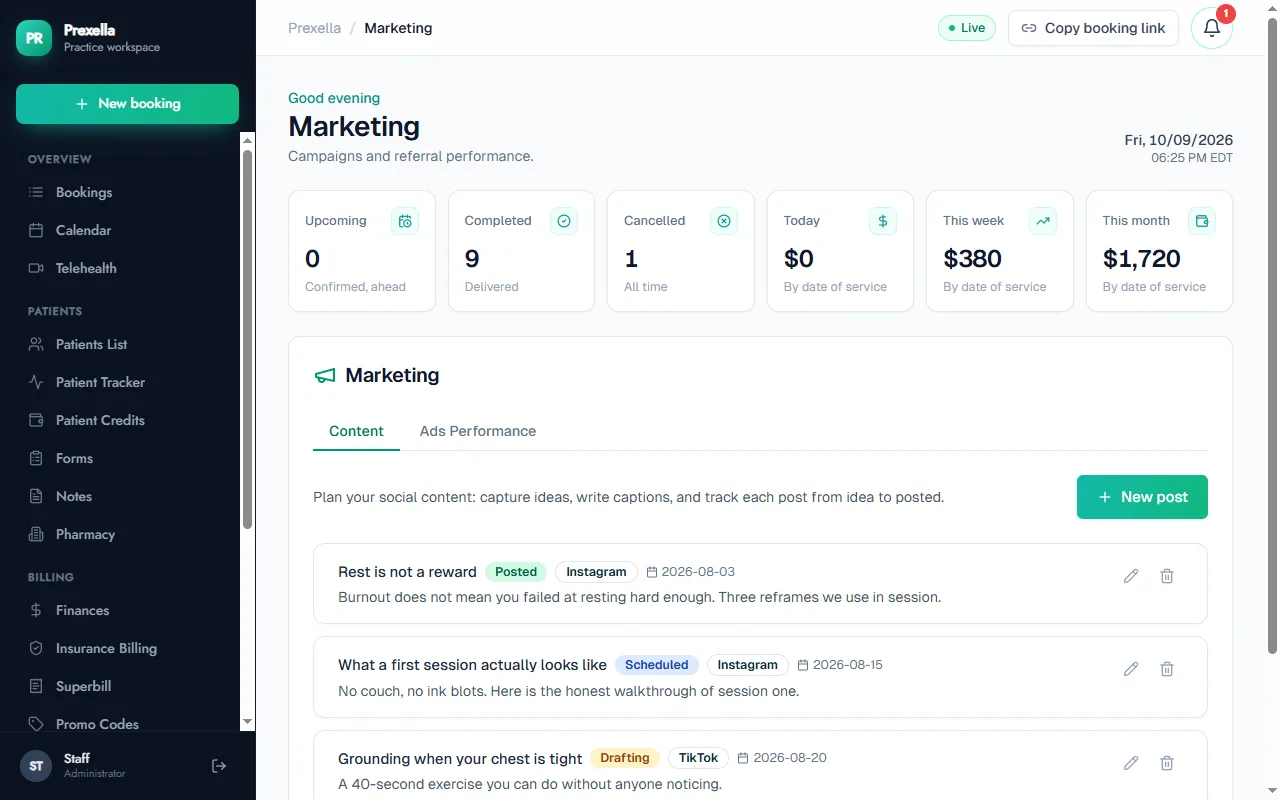
- Content. Plan social posts with a title, caption, platform (Instagram, TikTok, YouTube, Facebook or other) and date, and track each one from idea to drafting, scheduled and posted. It is one list for everything you are publishing.
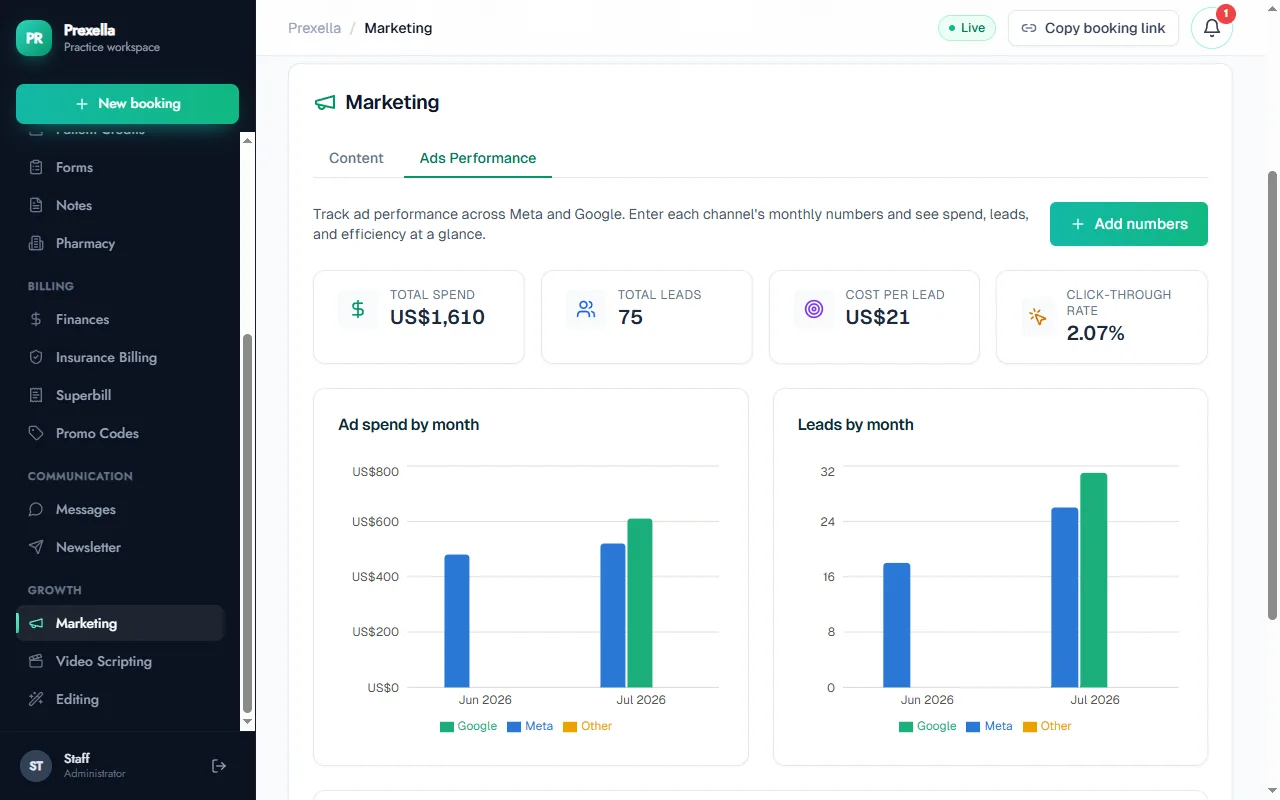
- Ads Performance. Once a month, record each channel's spend, impressions, clicks and leads. Prexella totals them, works out cost per lead and click-through rate, and charts spend and leads by month for Meta, Google and any other channel, so you can see which is worth more of your budget.
- Video Scripting and Editing. When AI is enabled for your instance, Video Scripting drafts short-video scripts with a hook, a value section and a call to action for the platform, tone and length you choose. Editing rewrites a caption, script or paragraph in the direction you pick. Both are drafts you edit and save.
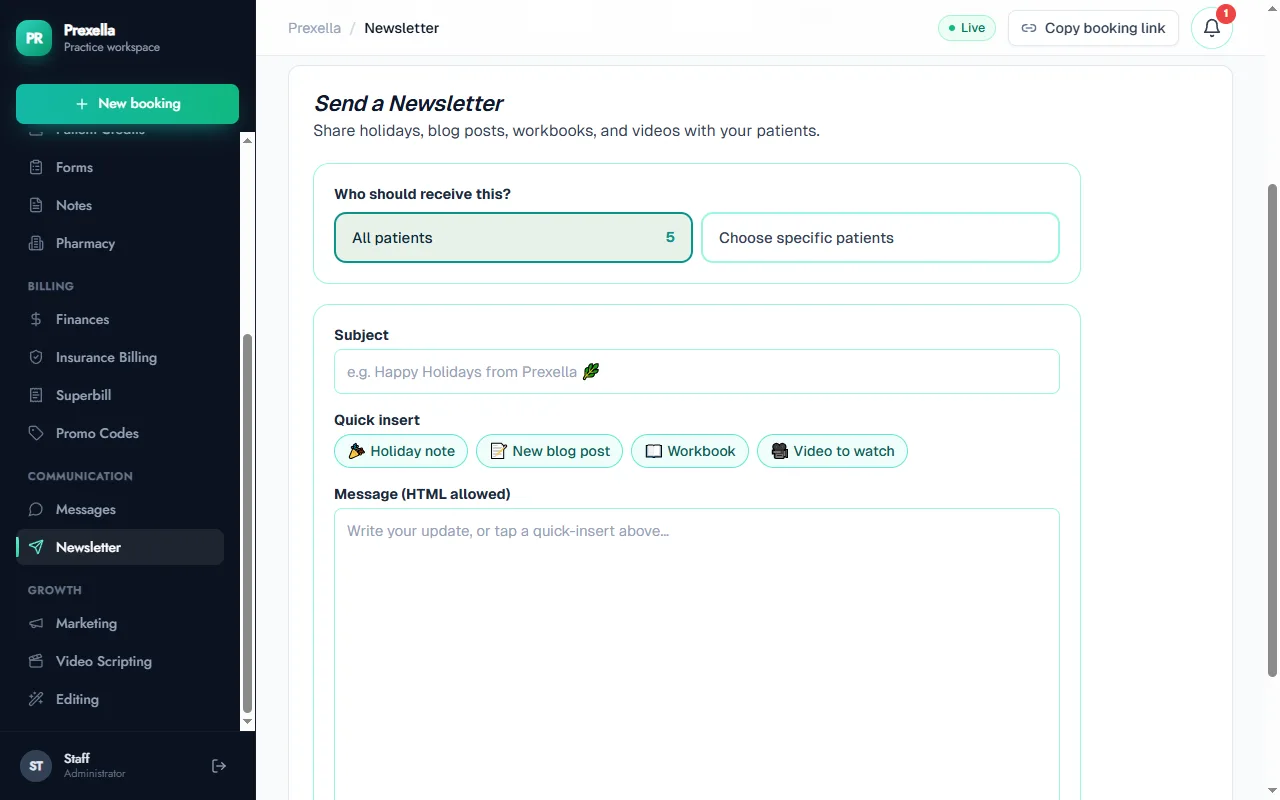
- Newsletter. Write an update and send it to all your clients or to a chosen few, with quick inserts for a holiday note, a new blog post, a workbook or a video to watch.
Knowing where clients come from
Your online booking page asks every new client how they heard about you before they can book. The answer is saved on the booking and included in the new-booking email the practice receives, so a spike in clients from Google or from social media is visible as it happens rather than at tax time.
Your brand on every message
Because Prexella is white-label, newsletters and every other email go out under your practice's name with your contact details in the footer, and links point back to your own domain. Marketing builds your practice's name rather than a software vendor's.
Marketing that fills the calendar
The point of marketing in a private practice is booked sessions. Keeping the content plan, ad results and newsletters next to the calendar makes that connection easy to see. Pair it with prepaid session credits and a new client who books from an ad can buy a package in the same visit.
How it compares
Most practice management systems for therapists do not list marketing tools on their pricing pages. Jane offers a website builder as a paid add-on, and Practice Better lists broadcast messaging and a Mailchimp connection through an add-on. The verified details are in SimplePractice alternatives and Prexella vs Jane App.
Who it is for
Built-in marketing matters most to practices that grow through their own brand:
- Life coaches whose clients come from social media and content.
- Therapists running Google or Meta ads for a private-pay practice.
- Counselors who keep in touch with past and current clients through a newsletter.
- Psychologists building a named group practice in their area.
To see the content plan, ad reporting and newsletters set up for your practice, request a demo.
Frequently asked questions
Does Prexella connect to my Meta and Google ad accounts?
Not directly. You enter each channel's monthly spend, impressions, clicks and leads, from Meta Ads Manager and Google Ads, and Prexella calculates cost per lead and click-through rate and charts them by month alongside your other channels.
Do I need to run ads to use Prexella?
No. The marketing tools are there when you want them. Booking, payments, superbills and the client portal work on their own.
Can I send newsletters to clients?
Yes. Write a newsletter in the dashboard and send it to every client or to the ones you choose. It goes out under your practice's name, and replies come to your inbox.
What do the AI tools do?
When AI is enabled for your instance, Video Scripting drafts short-video scripts with a hook, a value section and a call to action, and Editing rewrites a caption or paragraph in the direction you choose. Everything is editable before you save it.
How do I know where new clients come from?
Your online booking page asks every new client how they heard about you, and the answer is saved on the booking and included in the new-booking email you receive.
See Prexella with your own workflow
A live, one-on-one walkthrough of scheduling, superbills, the client portal and marketing tools. Free, no obligation.