

Features
Online Booking Software for Therapists and Clinics
Prexella is online booking software for therapists that lets new and returning clients choose a session, telehealth or in office, an open time and pay by card, on your own domain and without a phone call.
- Card payment at checkout
- Every slot checked on the server
- Past dates can never be booked
- Reminder emails the day before
Last updated 10/10/2026
The problem: phone tag, conflicts and empty slots
When booking runs through email, phone and a paper calendar, two things happen. Times get double-booked or conflict with blocked-off hours, and openings go unfilled because a client who wanted to book at 10 p.m. had no way to do it. Each new client costs several messages before the first session is even on the calendar, and no-shows leave gaps you cannot refill at short notice.
Prexella's fix is automatic reminders plus double-booking protection on every slot, behind a booking page clients can use any time.
How Prexella's online booking software for therapists works
The booking page runs on your own domain with your practice name. A client books in four steps:
- Choose a session. Individual, couples, family, intake or a multi-session package, with the durations and prices you set.
- Choose the visit type, date and time. Telehealth or in office, then a date and one of the open slots.
- Enter their details, including how they heard about you, so you can see which referral sources bring in clients.
- Review and pay by card. Promo codes can be applied at this step.
After paying, new clients are guided straight into creating their client portal account with the booking already attached, where your intake and consent forms are waiting.
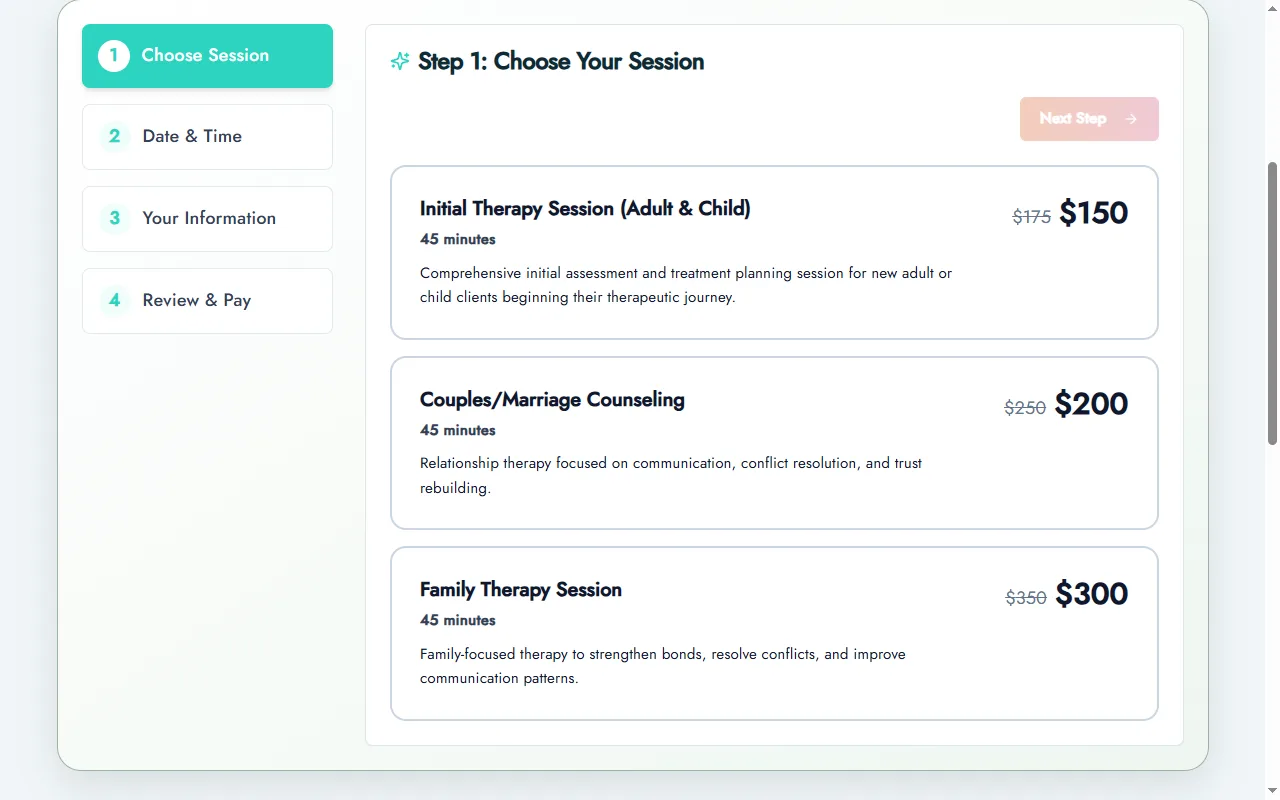
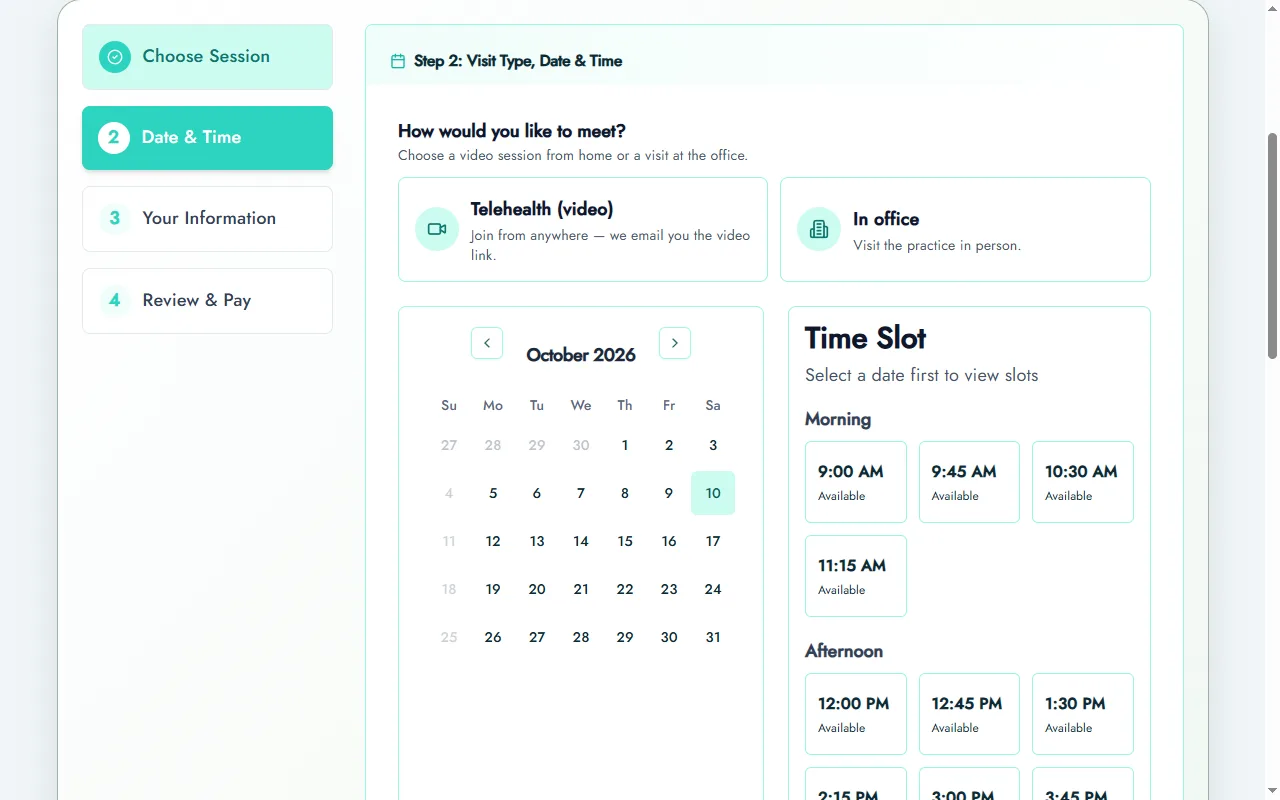
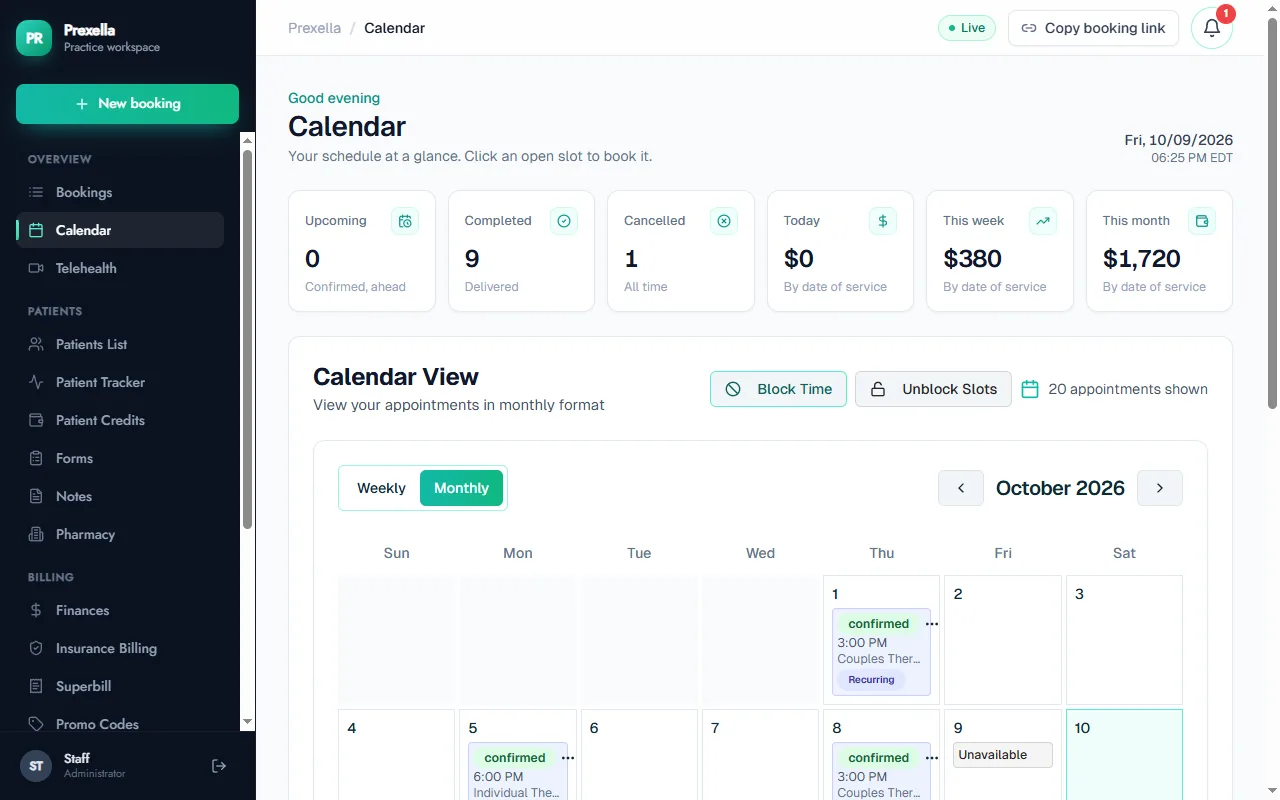
No double-booked slots, no past dates
Every path that writes a booking, whether the public booking page, a package, the client portal or a manual booking from your dashboard, calls the same server-side check before confirming the slot. It confirms the time is one you have opened, that it is not blocked, and that no other session already holds it. The time picker never shows a slot that check would refuse, so clients are not charged for a time they then cannot have. Dates in the past cannot be booked on any path.
Recurring clients and packages
Move a returning client onto a recurring weekly slot and the calendar holds that day and time every week. Package sessions book a series of weekly dates in one checkout. Clients who prefer to pay ahead use session credits, and each completed session draws one down.
Confirmations, reminders and cancellations
Clients get a branded confirmation email with their visit type and, for telehealth, the video link. A reminder email goes out the day before every session. Clients on a package are reminded before their final package session, and clients low on credits are emailed three days ahead so a recurring spot is not lost. When a client cancels from the portal within 48 hours of the session, your late-cancellation rule is applied automatically.
Sharing your booking page and booking for clients
Your booking page has its own link on your domain. Copy it from the top of the dashboard with one click and put it on your website, your email signature, your directory profiles and your social media bios. It works on any phone or computer, so most clients book from their phone without calling.
Some clients will still call or email. For them, start a new booking from the dashboard yourself: it goes through the same slot and past-date checks as the public page, so a booking you enter by hand can never collide with one a client made online.
Know where clients come from
Every online booking asks how the client heard about you and saves the answer with the booking, and it is included in the new-booking email your practice receives. Over a few months that shows which referral sources, directories and campaigns actually bring in paying clients, which is the question the marketing suite helps you act on.
Who it is for
Online booking matters most for practices that take new clients without a front desk:
- Therapists who want new clients to book an intake without a phone call.
- Counselors running a mix of telehealth and office sessions.
- Marriage and family therapists offering couples and family session types.
- Coaches selling multi-session packages.
To see the booking page set up with your own session types and hours, request a demo. If you are comparing systems, see SimplePractice alternatives.
Frequently asked questions
Can two clients book the same time?
No. Every path that books a slot, including the public booking page, packages and the client portal, checks on the server that the slot is open and not already taken before confirming it. If two clients try at the same moment, only one booking goes through.
Do clients pay when they book?
Yes. The last step of booking is card checkout, and promo codes can be applied before paying. Returning clients can also book from the client portal using prepaid session credits.
Can clients choose telehealth or an office visit?
Yes. Clients choose the visit type when they book. Telehealth clients receive the video link by email, and the visit type sets the place-of-service code on their superbill.
How do reminders work?
A reminder email goes out the day before every session. Clients on a package are reminded before their final package session, and clients who are low on prepaid credits are emailed three days before their next session so they can top up.
Can I block off time?
Yes. Block time from the calendar for holidays, training or personal time, and those slots disappear from the booking page.
See Prexella with your own workflow
A live, one-on-one walkthrough of scheduling, superbills, the client portal and marketing tools. Free, no obligation.